
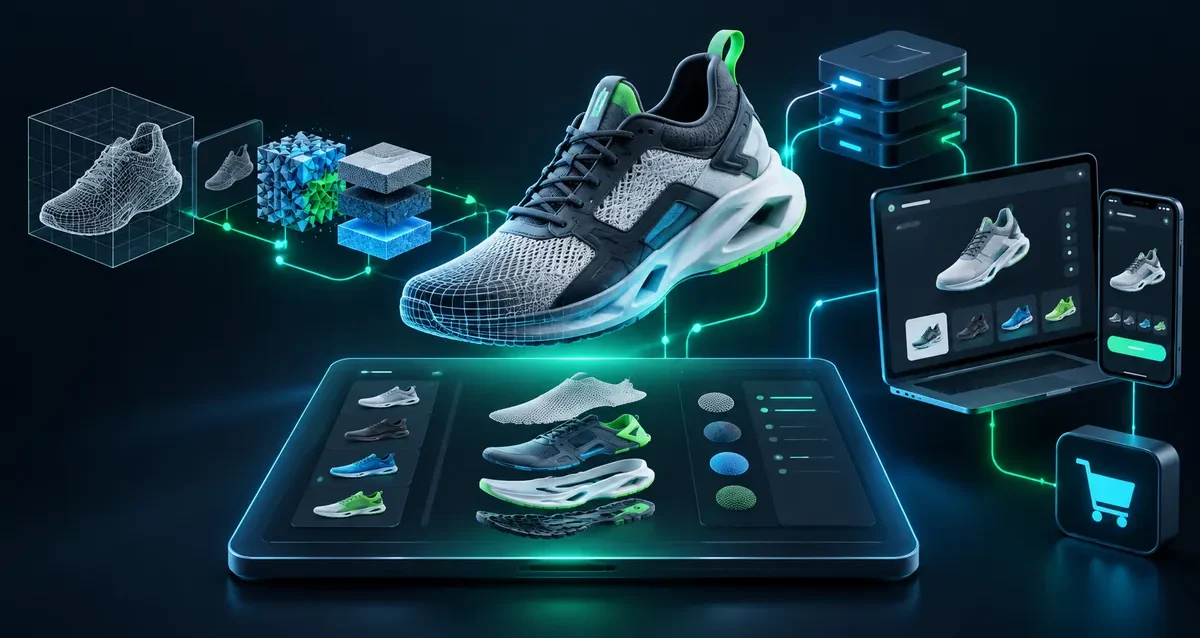
Shopify Plus merchants increasingly use interactive 3D to help buyers understand, customize, and purchase complex products. The challenge is performance: a visually impressive experience can still fail commercially if it adds ten megabytes of assets, blocks the main thread, shifts the layout, or slows the cart.
A high-performance Shopify 3D product configurator should behave like a native part of the storefront. It must load on demand, sustain smooth interaction on mobile devices, synchronize options with Shopify variants, and preserve Core Web Vitals. This guide explains the architecture Ink & Algorithm uses to target sub-2MB initial 3D payloads and responsive 60 FPS interaction.
The Core Web Vitals Dilemma: Why Standard 3D Plugins Slow Stores
Many plug-and-play 3D tools load the complete scene, textures, scripts, tracking libraries, and UI before a shopper has shown any intent to interact. A single uncompressed model can exceed 10MB, while high-resolution PNG or JPEG textures add several more megabytes. On mobile networks, this creates long download times, delayed interaction, and poor Largest Contentful Paint.
The problem is not WebGL itself. The problem is an architecture that treats 3D as a decorative page asset instead of a performance-budgeted commerce application. A well-engineered 3D product configurator separates the critical storefront path from the interactive runtime.
For Core Web Vitals, the first page response should prioritize the product title, price, purchasing controls, and a stable fallback image. The configurator can then initialize asynchronously without blocking the content that shoppers and search engines need first.
The Sub-2MB Asset Engineering Pipeline
Achieving a lightweight 3D product customizer starts before the model reaches Shopify. Geometry, textures, materials, and animations must be optimized as a coordinated pipeline rather than compressed at the end.
1. Reduce Geometry Before Compression
Product CAD files often contain manufacturing-level details that do not improve the browser experience. Hidden components, internal screws, microscopic bevels, and duplicate geometry should be removed. Retopology and level-of-detail planning reduce vertex count while protecting the silhouette and the product features buyers actually inspect.
2. Use Draco for Geometry Compression
Draco compression can dramatically reduce mesh data inside a GLB file. The correct compression level balances download size with decode time. Extremely aggressive settings may save a few kilobytes but increase CPU work or introduce visible artifacts. We test representative Android and iOS devices rather than relying only on desktop benchmarks.
3. Deliver Textures in KTX2/Basis
KTX2 textures with Basis Universal compression are designed for GPU-friendly delivery. Instead of decoding large conventional images into heavy memory footprints, compatible devices can use efficient compressed texture formats. Texture atlases, sensible resolution limits, and reusable material maps further reduce requests and memory usage.
4. Optimize the Final GLB
The final asset is audited for unused nodes, redundant materials, oversized animations, and accidental metadata. A practical initial target is less than 2MB for the first interactive product configuration, with optional detail loaded only when required. More complex products can use modular GLBs so shoppers download only the selected components.
Asynchronous Hydration and Lazy Loading
A fast WebGL configurator Shopify integration should not compete with the storefront for the first render. In a headless Next.js build, the 3D canvas is loaded through a client-only dynamic import. This prevents server-side rendering conflicts and keeps the Three.js or PlayCanvas runtime out of the critical JavaScript bundle.
The page first serves an optimized 2D product image with a fixed aspect ratio. That reserves the correct space and prevents cumulative layout shift. The 3D application begins loading after a clear trigger such as viewport entry, a shopper selecting “View in 3D,” or an idle period after the essential storefront becomes interactive.
Progressive loading improves perceived speed. A low-detail model can become interactive first, followed by optional textures, accessories, or environment maps. The interface should display useful progress without freezing product controls. If WebGL support is limited, the 2D fallback remains a complete buying experience.
For more on this pattern, see our guide to headless 3D configurator architecture in Next.js.
Direct Shopify Cart and Variant Synchronization
Visualization alone does not create a dependable commerce workflow. Every customer choice must map to a valid product rule, price, SKU, or bill-of-materials code.
For simple catalogs, the configurator can map colors, sizes, finishes, and accessories to native Shopify variants. The selected variant ID is sent to the cart while human-readable configuration details are stored as line-item properties. This keeps the order understandable for customers and operations teams.
Enterprise CPQ scenarios require a stronger rules layer. Compatibility rules should prevent impossible combinations before checkout. Price add-ons can be calculated from approved components, while a compact configuration ID or JSON payload is attached to the cart and passed to downstream ERP, CRM, or manufacturing systems through APIs.
In Shopify Plus and headless commerce, the Storefront API provides the cart primitives while the configurator maintains interaction state. The connection must be resilient: refreshing the page, sharing a configured URL, or returning from checkout should not silently discard the buyer’s selections.
A Battle-Tested Architecture Blueprint
A scalable implementation typically contains five layers:
- Commerce layer: Shopify Plus manages catalog data, variants, inventory, discounts, customers, and checkout.
- Storefront layer: Next.js renders fast product content and handles routing, caching, SEO, and server-side data access.
- 3D runtime: Three.js or PlayCanvas renders the optimized scene and exposes a controlled configuration API.
- State layer: A lightweight store such as Zustand keeps UI, product rules, and rendering state decoupled from React hydration.
- Integration layer: Shopify Storefront API, webhooks, and custom middleware synchronize configuration, pricing, and fulfillment data.
This separation is important. The renderer should not own pricing logic, and the storefront UI should not directly manipulate low-level scene objects. Clear boundaries make the system easier to test, maintain, and extend across products.
Performance Targets That Matter
“Fast” should be defined with measurable budgets. For a production Shopify 3D experience, Ink & Algorithm typically evaluates:
- Initial 3D payload close to or below 2MB for the primary configuration.
- No 3D runtime in the server-rendered critical path.
- A stable 2D fallback with no layout shift.
- Responsive interaction and a practical 60 FPS target on supported mobile devices.
- Deferred environment maps, optional components, and high-detail assets.
- Reliable cart, pricing, and configuration recovery.
- Real-device testing across representative iOS and Android hardware.
Performance monitoring should continue after launch. A new product model, oversized texture, third-party script, or theme update can change the budget. Automated asset checks and Core Web Vitals monitoring prevent gradual storefront bloat.
When Headless 3D E-Commerce Is the Right Choice
Headless architecture is most valuable when the experience requires advanced product rules, shared configuration state, custom APIs, multiple regional storefronts, or deep integration with ERP and manufacturing systems. A simpler embedded configurator may be sufficient for a small catalog with straightforward variants.
The right decision depends on product complexity, traffic, content workflow, and the systems that must receive configuration data. Ink & Algorithm combines high-performance web development with real-time 3D engineering so merchants do not have to choose between visual impact and storefront speed.
Build a Shopify 3D Configurator Without Store Bloat
A successful Shopify 3D product configurator is not just a model viewer. It is a commerce system with strict asset budgets, asynchronous loading, dependable variant logic, and measurable mobile performance.
Ink & Algorithm designs WebGL configurators for Shopify Plus and headless storefronts using optimized GLB assets, Draco compression, KTX2 textures, Next.js, and Shopify API integration. If your team is evaluating a 3D customization experience, schedule a technical consultation to review product complexity, performance targets, and integration requirements.
Frequently Asked Questions
Can a Shopify 3D product configurator load in under 2MB?
Yes, many initial product experiences can target a sub-2MB payload when geometry is simplified, textures use KTX2 compression, meshes use Draco, and optional components are loaded separately. Complex products may require a modular loading strategy rather than one large file.
Will WebGL hurt Shopify Core Web Vitals?
WebGL does not have to hurt Core Web Vitals. The 3D runtime should load asynchronously after the critical storefront content, while a dimensioned 2D fallback prevents layout shift. Performance must be tested on real mobile hardware.
Can the configurator add custom options to the Shopify cart?
Yes. Standard choices can map to Shopify variants, while configuration details can be stored as line-item properties. Enterprise solutions can also pass BOM codes, price add-ons, and configuration IDs to CPQ, ERP, CRM, or manufacturing systems.
Is Three.js or PlayCanvas better for Shopify?
Both can deliver strong results. Three.js offers a flexible ecosystem and fits well in custom Next.js applications. PlayCanvas provides an integrated editor and optimized runtime. The best choice depends on team workflow, scene complexity, and integration requirements.