
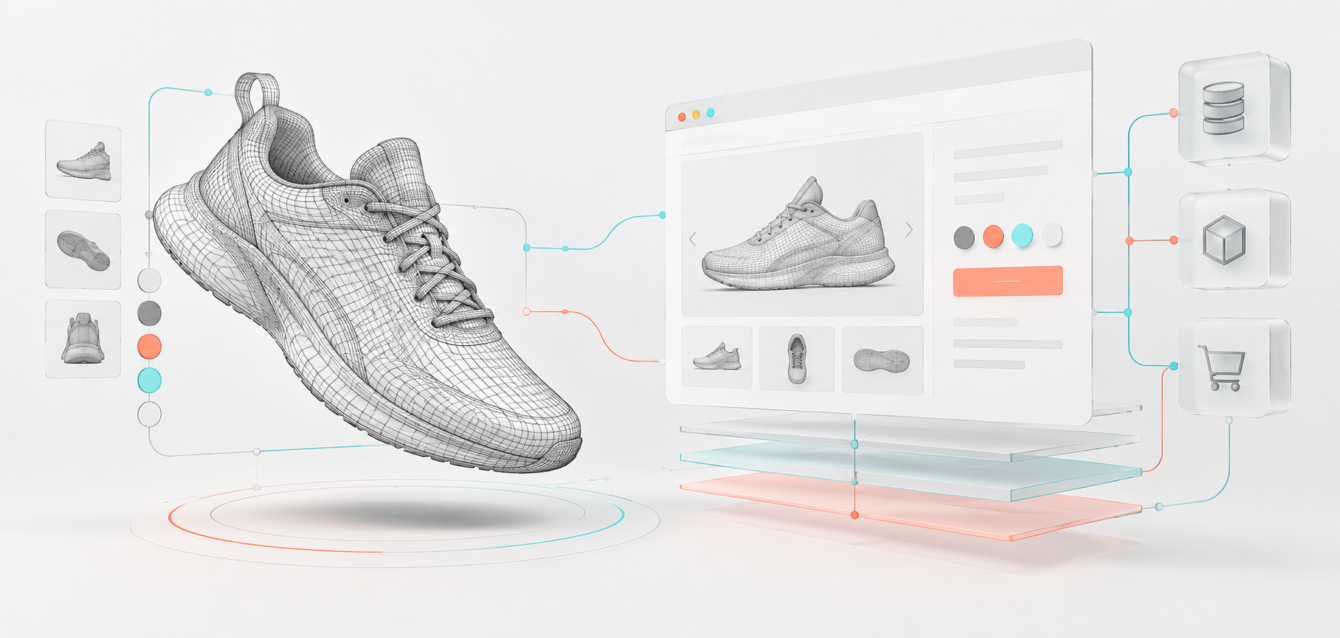
Headless commerce gives brands control over the storefront, but adding an interactive 3D product experience can quietly undo that performance advantage. A poorly integrated viewer may delay hydration, inflate the client bundle, compete with checkout scripts, and turn a fast Next.js product page into a loading screen.
A scalable headless 3D configurator needs a different architecture. The product page should remain server-rendered and useful before the WebGL runtime starts. The interactive layer should load only when it can add value, configuration state should survive navigation without creating hydration mismatches, and 3D assets should be delivered according to device capability.
This 2026 blueprint explains how Ink & Algorithm approaches real-time 3D inside modern headless storefronts built with Next.js, commerce APIs, Zustand, and performance budgets.
The Core Principle: Keep Commerce Server-First and 3D Client-Isolated
Next.js App Router pages and layouts are Server Components by default. That is useful for product data, SEO content, pricing context, availability, structured data, and the initial product shell because these elements can be rendered without shipping their implementation to the browser.
WebGL is different. It depends on browser APIs, GPU capabilities, pointer events, and a continuous render loop. The configurator therefore belongs inside a focused Client Component boundary rather than at the root of the product page.
The recommended composition is:
- Server-rendered product shell: title, copy, canonical product data, breadcrumbs, core media fallback, price context, and SEO schema.
- Client-only configurator island: canvas, controls, camera behavior, material switching, annotations, and WebGL runtime.
- Commerce adapter: a typed layer that translates configuration selections into cart, quote, inventory, and pricing requests.
- Persistent configuration store: a small, versioned state model for product options, not a mirror of the entire commerce response.
- Asset delivery pipeline: optimized geometry, textures, variants, and device-aware quality tiers served from a CDN.
This separation allows the surrounding storefront to stream and become useful while the interactive experience initializes independently.
Prevent SSR and Hydration Problems Before They Start
Hydration errors happen when the HTML rendered on the server does not match the first client render. A 3D customizer is especially vulnerable because it may read window size, GPU support, local storage, saved configuration state, or browser-specific data during startup.
The safest pattern is to render a deterministic placeholder on the server, then mount the WebGL component in the browser. In Next.js, a client wrapper can load the configurator with a dynamic import and disable server rendering for the browser-dependent module. The wrapper still belongs within a server-rendered product page, so search engines and users receive meaningful content immediately.
Avoid placing the entire page behind a client boundary. Marking a high-level layout with use client can pull product content, navigation logic, analytics wrappers, and other dependencies into the client bundle. Keep the boundary close to the canvas and its controls.
Use a Stable Pre-Hydration Fallback
The fallback should occupy the same visual space as the final configurator to prevent layout shifts. It can display a lightweight product image, selected defaults, and an explicit “Load 3D” action on constrained devices. The fallback must not depend on local storage or viewport calculations that change between server and client.
For products that benefit from progressive disclosure, load the interactive viewer when it approaches the viewport or when the user signals intent. This protects initial page speed without hiding the product experience.
Design Zustand State for Commerce, Not for the Scene Graph
Zustand works well for a Next.js 3D product customizer because it can hold compact configuration state without forcing every canvas update through React. The store should represent the commercial configuration, while transient rendering details stay inside the 3D engine.
A practical store may include:
- Product and configuration identifiers
- Selected options, dimensions, materials, and accessories
- Validation status and incompatible-option messages
- Current price summary and currency
- Shareable configuration version
- Quote or cart submission status
Camera position, hovered mesh, animation progress, pointer coordinates, and per-frame values usually do not belong in the global store. Keeping high-frequency scene state out of React and Zustand reduces unnecessary component updates.
Avoid Persisted-State Hydration Mismatches
If configuration state is persisted in local storage, the server cannot see it. Rendering persisted selections immediately on the first client pass can conflict with the server HTML. Use deterministic defaults for the initial render, then restore persisted state after the client mounts. A small “has hydrated” flag can prevent pricing or checkout actions from running against incomplete state.
For shareable configurations, the URL or a server-issued configuration ID is stronger than browser-only persistence. It makes the state portable across devices and gives sales teams a reliable reference for quotes and follow-up.
Build a Commerce Adapter Between WebGL and the Backend
A configurator should not call five platform APIs directly from mesh click handlers. Introduce a commerce adapter that exposes clear operations such as load product rules, validate selections, calculate price, save configuration, create quote, and add configured item to cart.
This adapter separates the interactive experience from Shopify, BigCommerce, commercetools, a custom CPQ engine, or an ERP. It also creates one place to handle authentication, retries, idempotency, error mapping, and observability.
Ink & Algorithm’s approach to product configurator integration with ERP, CRM, and CPQ applies the same principle: the visual experience produces structured commercial data that downstream systems can trust.
Choose What Runs on the Server
Secrets, privileged pricing rules, customer entitlements, and final quote or cart mutations should run through server-controlled endpoints. Public visual option data and cached product metadata can be delivered closer to the edge. The browser should never receive private API credentials or unrestricted commerce tokens.
For complex pricing, return a signed or server-validated result rather than treating a client calculation as the final commercial price.
Create a Performance Budget Before Building the Viewer
“60 FPS” is not a feature that can be added at the end. It is the result of budgets for JavaScript, geometry, textures, draw calls, materials, post-processing, and network transfer.
A useful architecture budget defines:
- Maximum initial JavaScript for the non-3D product page
- Separate lazy-loaded budget for the WebGL runtime
- Compressed model and texture limits for first interaction
- Maximum draw calls and visible material count per quality tier
- Target time to first useful product view
- Frame-time thresholds for desktop and mobile devices
- Fallback behavior when hardware or memory is constrained
The goal is not to force every device to render the same scene. The goal is to preserve a responsive buying journey while delivering the best experience each device can sustain.
Protect 60 FPS with Adaptive Rendering
A stable frame rate depends on reducing work in the render loop. Use compressed geometry, texture compression, instancing for repeated parts, shared materials, level of detail, and selective shadows. Limit transparent surfaces and expensive post-processing. Avoid blocking WebGL calls that force the browser to wait for GPU results.
Adaptive quality can respond to device memory, pixel ratio, viewport size, and measured frame time. A premium desktop may receive higher-resolution textures and richer reflections, while a mid-range mobile device receives simplified materials, lower pixel density, and fewer secondary effects.
Render on Demand When the Product Is Idle
Many configurators do not need a continuous loop after the camera and product settle. An on-demand rendering strategy can draw frames while the user rotates, animates, or changes an option, then pause when the scene is static. This reduces power use and leaves more main-thread capacity for commerce interactions.
Move Heavy Work Away from Interaction
Parsing large assets, generating thumbnails, validating complex rules, and transforming configuration data can interrupt input responsiveness. Preprocess as much as possible during the asset pipeline. Where appropriate, move CPU-heavy browser work to a Web Worker and schedule non-urgent tasks after the first interaction is ready.
Our WebGL development services focus on real-device profiling rather than relying on high-end development hardware.
Engineer the 3D Asset Pipeline as Part of the Platform
The model used by a designer or engineer is rarely ready for the web. A scalable pipeline should convert source CAD or DCC files into versioned delivery assets with predictable naming, hierarchy, materials, and metadata.
Recommended steps include:
- Remove invisible and manufacturing-only geometry
- Merge or instance repeated components
- Create consistent pivots and option identifiers
- Generate multiple mesh and texture quality levels
- Compress geometry and GPU-ready textures
- Validate bounding boxes, normals, UVs, and material assignments
- Publish immutable asset versions to a CDN
Separate the configuration schema from the visual asset version. This allows models and textures to improve without changing the commercial meaning of saved configurations.
Keep URLs, Analytics, and Sharing First-Class
A headless ecommerce interactive 3D experience should support deep links. Important selections can be represented in search parameters for short-lived state or saved behind a configuration ID for complex products. The browser back button should behave predictably, and returning users should not lose their work.
Analytics should capture meaningful milestones rather than every camera movement. Track configurator start, option groups explored, invalid combinations, completed configurations, quote requests, add-to-cart events, shares, and exits. Connect these events to commerce outcomes so the team can distinguish visual engagement from revenue impact.
Use Failure States That Preserve the Sale
WebGL context loss, failed asset downloads, pricing timeouts, and unavailable options must not create a dead product page. Keep the server-rendered content and fallback media usable. Preserve selections locally, provide a retry path, and allow the user to continue to a quote or contact workflow when real-time services are temporarily unavailable.
For enterprise builds, monitoring should cover asset errors, API latency, configuration validation failures, frame-rate degradation, and cart mutation failures. Technical telemetry becomes most useful when it can be tied to a product, device class, and configuration version.
A Scalable 2026 Headless 3D Architecture
The final architecture can be summarized as five layers:
- Next.js server layer: product routes, metadata, structured data, cached content, customer context, and protected commerce operations.
- Configurator client island: dynamically loaded WebGL runtime, controls, accessibility alternatives, and adaptive quality.
- Zustand configuration domain: compact commercial selections, hydration control, persistence, and URL synchronization.
- Integration services: product rules, CPQ, pricing, inventory, cart, CRM, ERP, and analytics adapters.
- 3D delivery platform: optimized asset builds, CDN distribution, versioning, device tiers, and monitoring.
This design prevents the 3D engine from becoming the storefront architecture. It remains a powerful, isolated capability inside a fast commerce system.
When to Build a Custom Headless 3D Configurator
A custom approach is valuable when products have complex rules, large option sets, account-specific pricing, dealer workflows, engineered outputs, or a need to connect with existing business systems. A simpler viewer may be enough for a small catalog with only color changes and a standard cart flow.
Explore Ink & Algorithm’s 3D product configurator capabilities and custom commerce integration services to see how interactive product experiences can connect to real sales operations.
Build the Storefront and the 3D System as One Performance Strategy
Headless 3D commerce succeeds when server rendering, client hydration, state management, asset delivery, and commerce integration are designed together. Isolate browser-only WebGL code, restore persisted state after hydration, keep high-frequency scene data outside React, and enforce measurable performance budgets from the first prototype.
Ink & Algorithm combines modern frontend engineering with real-time 3D production for complex ecommerce experiences. Schedule a technical consultation to plan a scalable Next.js and WebGL architecture for your product catalog.