
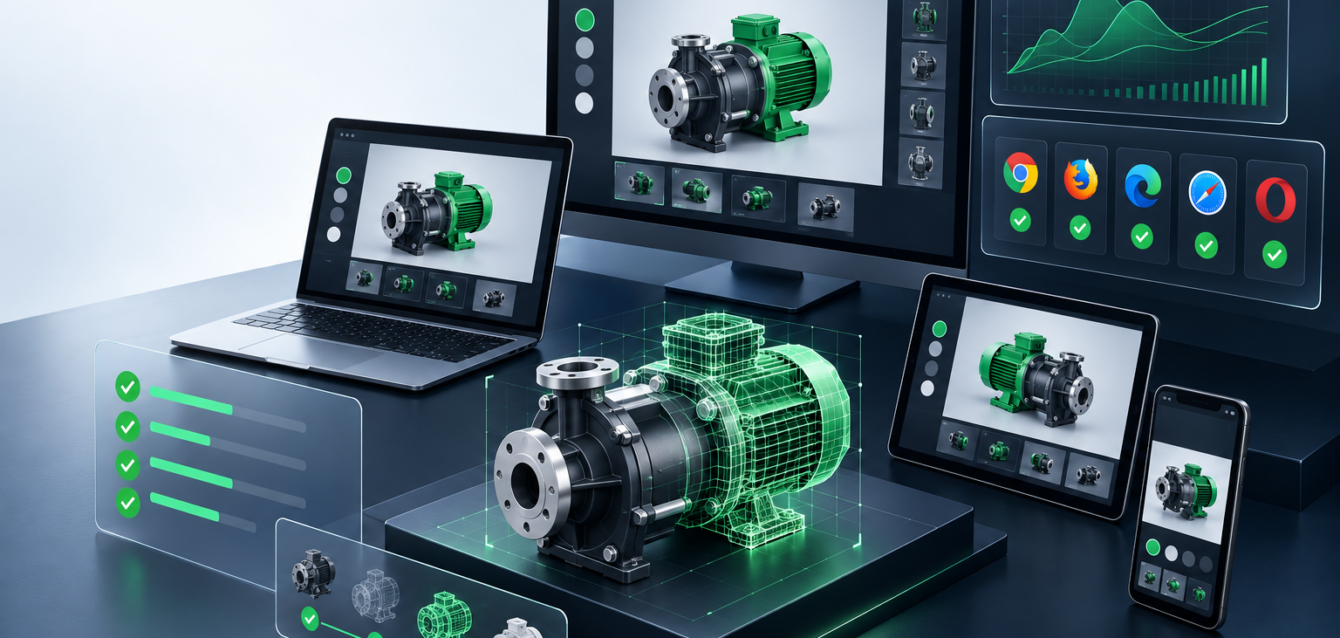
WebGL development can turn a standard website into an interactive product experience, a real-time 3D configurator, a technical demo, or a browser-based visualization tool. But strong results do not come from adding a 3D canvas and hoping users explore it. The best WebGL projects start with clear performance goals, asset planning, UX decisions, and integration requirements.
This guide focuses on WebGL development planning for teams preparing an interactive web experience. If you need an agency overview, see our guide to choosing a WebGL development agency. For service-level details around browser-based 3D builds, visit our 3D configurators and interactive WebGL experiences page.
What Is WebGL Development?
WebGL development is the process of building hardware-accelerated 2D and 3D graphics directly inside a web browser. It allows users to interact with visual experiences without installing a desktop application or mobile app.
In commercial websites, WebGL is often used for product configurators, 3D product viewers, immersive landing pages, training tools, technical visualizations, digital twins, and interactive sales demos. The goal is not just visual impact. The goal is to help users understand something faster, make decisions with more confidence, or interact with a product in a way static images cannot support.
Start With the Business Goal
Before choosing frameworks, shaders, models, or animation styles, define what the WebGL experience should accomplish. A product viewer may need to reduce buyer uncertainty. A configurator may need to collect sales-ready requirements. A training tool may need to explain a workflow. A campaign experience may need to increase engagement and brand recall.
When the goal is clear, the WebGL build can stay focused. Without a goal, teams often add effects that look impressive but slow the page, confuse users, or distract from conversion.
Define the User Flow Before the 3D Scene
WebGL projects work best when the user flow is planned before the visual scene is finalized. Decide what the user sees first, what they can click, what changes when they interact, and what action they should take after the experience.
For example, a product configurator should guide buyers from option selection to a quote request or saved configuration. A 3D product viewer should make rotation, zoom, hotspots, and material details easy to understand. The interface around the canvas is just as important as the canvas itself.
Plan 3D Assets Early
3D assets can make or break a WebGL project. High-poly source models may look good in production software, but they are often too heavy for public websites. Assets usually need optimization before they are ready for real-time browser use.
Planning should include polygon budgets, texture sizes, material simplification, compression, level-of-detail strategy, and naming conventions. Teams should also decide whether models need animation, exploded views, hotspots, material swaps, or configuration states.
Performance Is a Core Requirement
Performance is not a finishing step in WebGL development. It is a core requirement from the beginning. Large models, heavy textures, unoptimized lighting, excessive post-processing, and unnecessary JavaScript can make an experience feel slow even if the design looks good.
A strong WebGL project should define target load time, target asset size, device support, fallback behavior, and acceptable frame rate. For public marketing websites, the experience should support SEO and conversion instead of turning into a loading screen.
Choose the Right Technical Approach
Some WebGL experiences are best built with Three.js because it gives teams control over custom interactions, performance, shaders, and integrations. Other projects may use engines or frameworks depending on the required complexity, workflow, and team skill set.
The technical choice should match the project goal. A simple product viewer does not need the same architecture as a complex CPQ-connected configurator. A sales demo may need analytics and CRM capture, while a visualization tool may need custom data feeds or APIs.
Connect WebGL With the Website Experience
WebGL should not feel like a separate object dropped onto a page. It should work with the page layout, copy, call to action, tracking, forms, and content strategy. This is where strong website development practices matter.
The experience should load in the right place, support mobile behavior, communicate value quickly, and move the visitor toward the next step. For sales-focused builds, that next step may be a consultation, quote request, product inquiry, or saved configuration.
Think About Integrations Before Development Starts
Many WebGL projects need integrations. A configurator may connect with Shopify, WooCommerce, CRM systems, CPQ logic, inventory data, or custom dashboards. A technical visualization may use APIs to display changing data. A sales tool may need to pass selected options into a form.
If integrations are discovered late, they can force changes to the data structure, interface, and workflow. For complex builds, WebGL development may overlap with broader custom software solutions.
SEO Considerations for WebGL Pages
A WebGL canvas alone does not give search engines much context. Supporting content matters. The page should explain the product, use case, features, benefits, industries served, and next steps. This helps users and helps search engines understand the purpose of the experience.
Use descriptive headings, concise supporting copy, image alt text, metadata, and internal links. If the page is a product configurator, related planning content can support the main service page without competing with it. For example, a planning article can link to a dedicated product configurator planning checklist.
WebGL Development Checklist
- Define the business goal and conversion path.
- Map the user flow before designing the scene.
- Prepare optimized 3D models and textures.
- Set asset-size and loading-speed targets.
- Plan mobile and fallback behavior.
- Choose the right framework or rendering approach.
- Document required APIs, forms, CRM, or CPQ integrations.
- Add supporting SEO copy around the interactive experience.
- Track user interactions that matter to sales or marketing.
- Test across real devices before launch.
Final Thoughts
WebGL development is most valuable when it solves a real business or user problem. A fast, focused, well-planned experience can help buyers understand products, compare options, explore technical details, and move closer to action.
Planning a browser-based 3D experience? Contact Ink & Algorithm to discuss WebGL development, performance planning, and the right interactive flow for your product or sales process.