

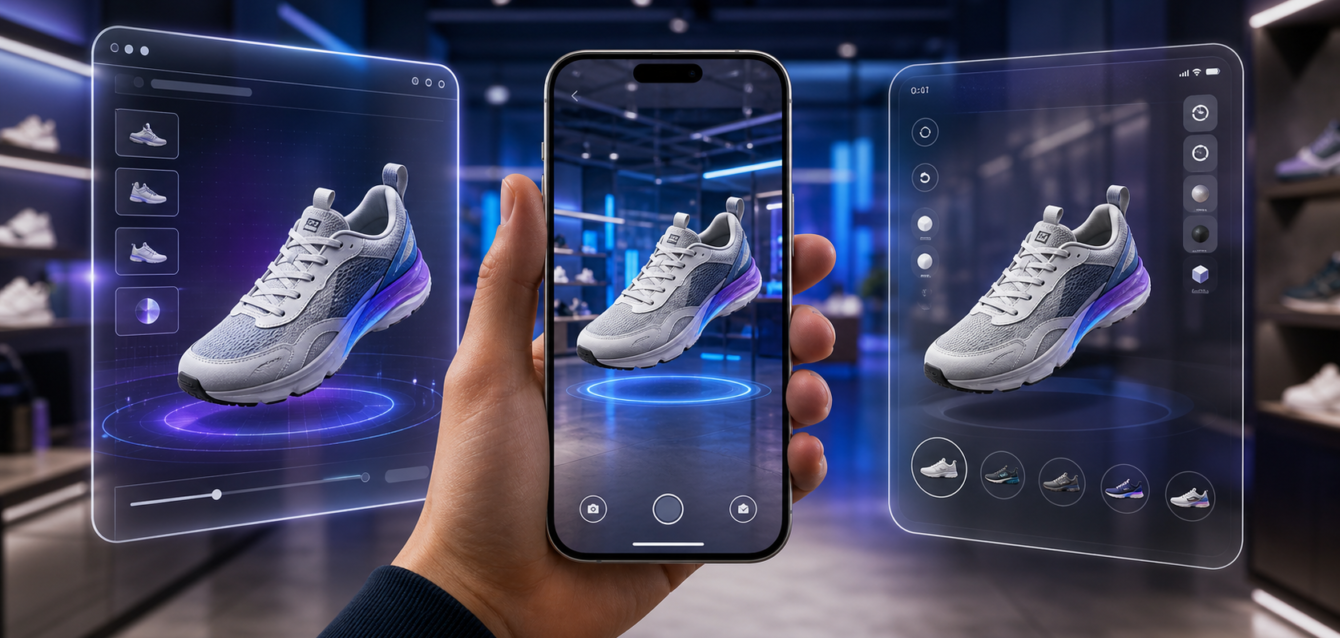
TL;DR: WebAR vs Native AR Apps for Retail Brands. Learn about costs, features, ROI, and how US brands use this technology in 2026.
WebAR vs native AR apps is one of the most important technology decisions for retail brands planning augmented reality product experiences in 2026. Both approaches can let shoppers preview furniture, footwear, cosmetics, accessories, or other products in context. However, they differ sharply in reach, friction, performance, cost, analytics, and long-term customer value.
This guide gives retail, e-commerce, and innovation teams a practical framework for choosing the right AR delivery model without overbuilding the first release or limiting future growth.
What Is WebAR?
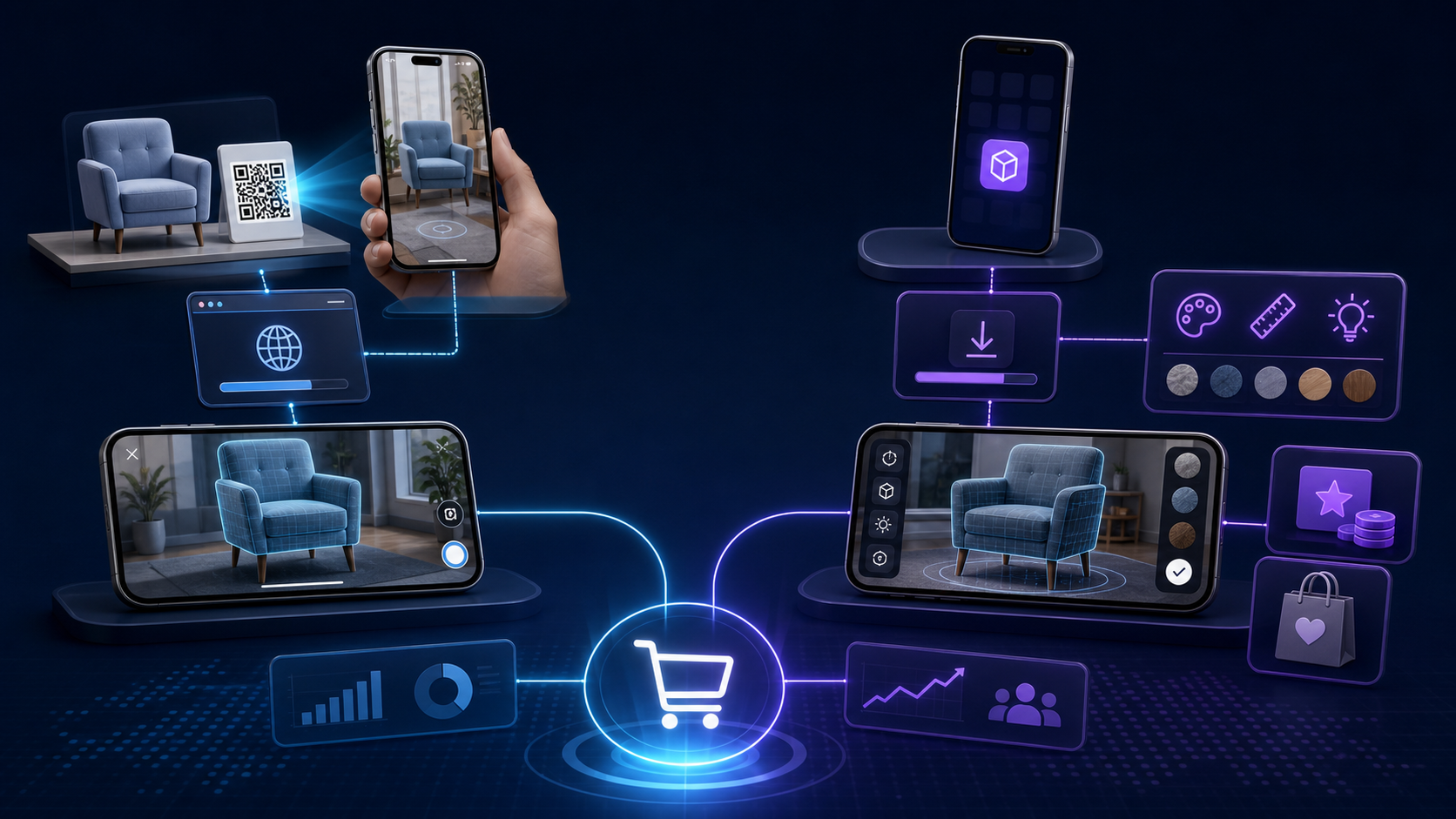
WebAR delivers an augmented reality experience through a mobile web browser. A shopper opens a product page, scans a QR code, taps a campaign link, or launches the experience from an advertisement. In most cases, the user can start without visiting an app store.
For retail brands, the biggest advantage is reach. WebAR can be connected directly to product pages, paid media, email campaigns, in-store signage, packaging, and social traffic. Removing the installation step makes it useful for customers who are discovering a product for the first time.
What Is a Native AR App?
A native AR app is installed on an iOS or Android device and built specifically for that operating system. It can use deeper device capabilities, store more assets locally, support richer interactions, send notifications, and connect AR with loyalty, account, or shopping features.
Native apps usually provide more control over performance and experience design. The trade-off is acquisition friction: a shopper must discover, download, install, and open the app before reaching the AR feature.
WebAR vs Native AR Apps: Quick Comparison
| Decision factor | WebAR | Native AR app |
|---|---|---|
| User access | Browser link or QR code | App-store installation |
| Initial reach | High | Lower unless the brand has an app audience |
| Experience depth | Strong for focused product visualization | Best for advanced, repeat-use features |
| Launch speed | Typically faster | Usually longer development and review cycle |
| Updates | Deployed centrally | May require app releases |
| Retention tools | Limited compared with an app | Accounts, notifications, loyalty, saved projects |
| Best fit | Campaigns, PDPs, discovery, try-on | Frequent use and broader app ecosystems |
1. Choose Based on Customer Intent
A first-time visitor evaluating one product has different needs from a loyal customer who uses the brand every month. WebAR is often the better fit for discovery because it reduces the number of steps between interest and experience. A native app becomes more compelling when customers already have a strong reason to install it.
Map the intended user journey before choosing a platform. If AR supports one campaign or a product-detail page, asking for an installation can create unnecessary abandonment. If AR is part of a complete design, loyalty, service, or shopping workflow, an app can justify the commitment.
2. Compare Reach and Activation Friction
Retail AR only creates value when shoppers use it. Measure every step required to launch the experience. WebAR can reduce the journey to a tap and a camera permission. A native app adds an app-store page, download time, storage concerns, sign-in prompts, and onboarding.
That does not mean WebAR automatically wins. Brands with millions of active app users may already have distribution. In that situation, adding an AR module to the existing app can be easier than building a separate web journey.
3. Evaluate Visual Quality and Performance
Native applications can offer more predictable access to device hardware and may handle complex scenes, advanced tracking, persistent experiences, and high-detail assets more efficiently. WebAR performance has improved substantially, but teams still need disciplined optimization for loading speed, mobile memory, network conditions, and browser differences.
For common retail use cases such as placing furniture, previewing a product at scale, changing colors, or launching a lightweight virtual try-on, WebAR can provide a strong customer experience. The correct choice depends on the complexity that customers actually need—not the maximum technical capability available.
4. Model the Total Cost, Not Only Development
Budget comparisons should include discovery, UX, 3D asset production, application development, commerce integrations, testing, analytics, hosting, support, and ongoing product updates. Native apps may require separate platform work, store compliance, release management, and device testing. WebAR requires browser QA, aggressive asset optimization, and reliable web infrastructure.
Content operations are often underestimated. A retailer with hundreds of SKUs needs a repeatable pipeline for 3D models, materials, variants, quality checks, and product data. The asset pipeline can influence total cost more than the AR viewer itself.
5. Consider Commerce and Data Integration
The AR experience should connect with the next customer action. Useful integrations may include product availability, variant selection, cart, wish lists, store locations, CRM, analytics, and consent management. WebAR can live close to the product detail page, making the path from visualization to purchase direct.
A native app can combine AR with account history, saved rooms, loyalty rewards, personalized recommendations, and push notifications. These advantages matter only when the wider app experience is already valuable and responsibly measured.
6. Plan Measurement Before Launch
Do not judge AR success only by total launches. Establish a baseline and compare business behavior for eligible users. Useful metrics include AR activation rate, time to first interaction, product engagement, add-to-cart rate, conversion rate, assisted revenue, return rate, repeat use, and cost per qualified session.
Segment results by traffic source, device, product category, new versus returning customers, and experience type. A high activation rate with no improvement in purchase confidence may indicate that the experience is entertaining but not solving a retail problem.
7. Protect Speed, Accessibility, and Privacy
An impressive AR feature should not damage the core shopping journey. Use compressed 3D assets, progressive loading, clear instructions, and a graceful fallback for unsupported devices. The normal product page must remain useful without AR.
Ask for camera access only when the shopper deliberately launches the feature. Explain why access is needed, avoid collecting unnecessary information, and follow applicable privacy and consent requirements. Accessibility planning should include readable controls, alternative product media, keyboard-friendly supporting interfaces, and non-AR ways to complete the task.
When WebAR Is the Better Choice
- You want maximum reach from product pages, ads, QR codes, or social campaigns.
- The audience is mainly first-time or occasional shoppers.
- The experience has a focused goal such as product placement or preview.
- You need rapid testing across markets or product categories.
- You want updates without relying on app-store releases.
When a Native AR App Is the Better Choice
- Your brand already has a large, active app audience.
- Customers need advanced tracking, complex interactions, or offline capability.
- AR is part of a repeat-use workflow rather than a single product moment.
- The experience must connect deeply with accounts, loyalty, saved projects, or notifications.
- Long-term engagement is more important than campaign reach.
A Hybrid Strategy Can Reduce Risk
Many retailers do not need to treat WebAR and native AR as permanent opposites. A practical approach is to launch a focused WebAR experience, validate demand and conversion impact, then expand proven features into an existing native app. Shared 3D assets, design systems, product rules, and analytics definitions can reduce duplicated effort.
Another option is to keep discovery experiences on the web while reserving advanced planning, saved projects, or loyalty functions for the app. The customer receives a low-friction entry point and a clear reason to install later.
Implementation Checklist for Retail Teams
- Define the customer problem and the decision AR should improve.
- Select a limited group of products with strong visualization value.
- Audit product data and 3D asset readiness.
- Choose WebAR, native, or hybrid delivery using real journey requirements.
- Set performance budgets for loading time and asset size.
- Connect the experience to product selection and purchase actions.
- Define analytics events and comparison groups before launch.
- Test across representative devices, browsers, lighting, and network conditions.
- Launch a measurable pilot and improve it using customer behavior.
Frequently Asked Questions
Does WebAR require an app download?
No. WebAR normally launches through a supported mobile browser from a link, QR code, advertisement, or product page.
Is a native AR app always more accurate?
Native apps can support deeper device access and advanced tracking, but accuracy also depends on the use case, device, environment, 3D asset quality, and implementation. A focused WebAR experience can be accurate enough for many retail product previews.
Which option launches faster?
WebAR projects are often faster to test and distribute because there is no app-store installation journey. Scope, integrations, asset readiness, and QA requirements still determine the actual schedule.
Can WebAR increase retail conversions?
It can improve confidence and engagement when it helps shoppers understand scale, fit, appearance, or options. Results should be verified with controlled measurement rather than assumed.
Can a brand use both?
Yes. A hybrid strategy can use WebAR for acquisition and product discovery while a native app serves loyal customers who need richer, repeat-use features.
Choose the AR Experience That Matches the Business Goal
The best decision in the WebAR vs native AR apps debate is the one that removes customer uncertainty with the least unnecessary friction. Retail brands should start with user intent, product value, distribution, performance needs, and measurable commercial outcomes.
Ink & Algorithm designs interactive AR, VR, and real-time 3D experiences for retail and commerce teams. For a broader view of immersive commerce planning, explore our US Immersive Commerce Report 2026.
Ready to get started? Contact Ink & Algorithm to discuss your project—we’ll help you create results that drive sales.