
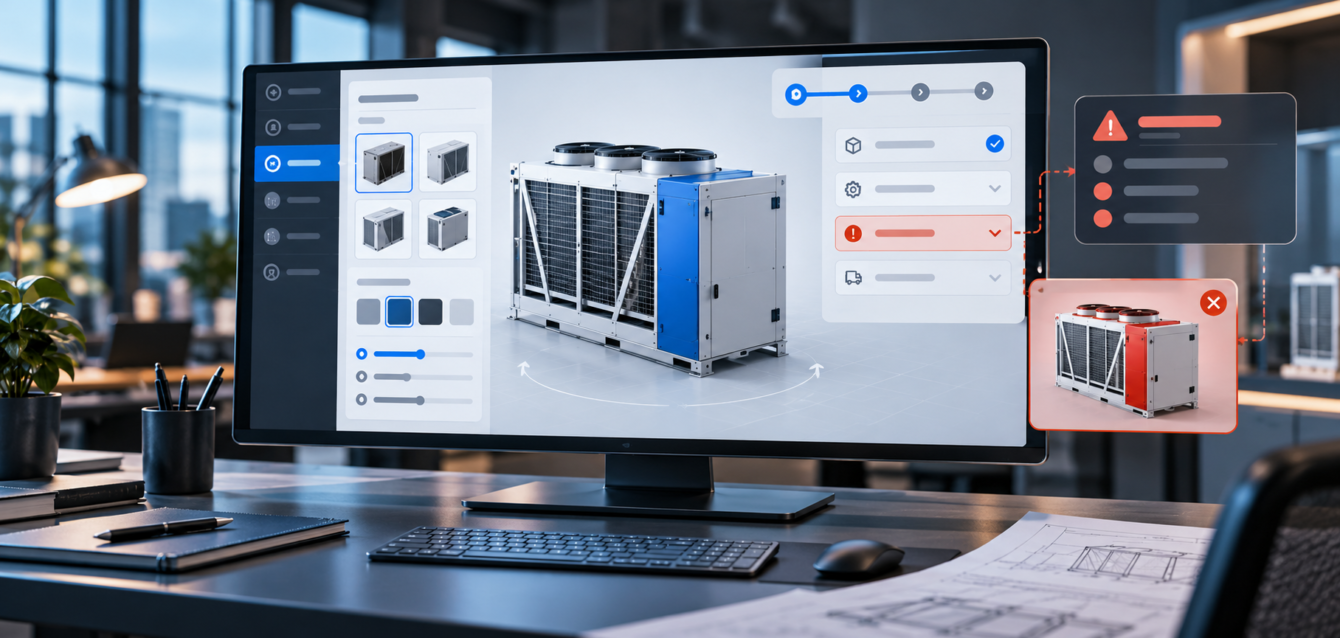
A 3D product configurator can turn a complicated buying process into a clearer conversation. It lets buyers explore options, compare variations, and understand how a product changes before they speak with sales. But when the user experience is poorly planned, the same configurator can create confusion, slow the buyer down, and reduce the value of the investment.
Enterprise buyers are usually not browsing for entertainment. They are trying to evaluate fit, reduce risk, share information with other stakeholders, and decide whether a product is worth deeper discussion. A good configurator supports that process. A weak one adds friction at exactly the moment the buyer needs confidence.
Starting With Too Many Choices
One of the most common 3D configurator UX mistakes is showing every option at once. Product teams often want to expose every finish, part, model, size, accessory, and upgrade because those options exist in the catalog. The problem is that buyers may not know where to start.
A stronger approach is to guide users through meaningful decisions in a sensible order. Start with the major product family or use case, then introduce the options that change appearance, performance, pricing, or technical fit. This makes the configurator feel like a guided sales tool instead of a crowded control panel.
For complex products, progressive disclosure is especially important. Buyers should see enough to make the next decision, not every possible setting at the same time.
Ignoring the Buyer Journey
A configurator is not only a visual feature. It is part of the buyer journey. If the experience does not connect to the questions buyers already have, it becomes a novelty instead of a sales asset.
Before designing the interface, teams should define the buyer’s main task. Are they trying to understand product scale? Compare configurations? Check compatibility? Build a quote-ready setup? Share a selected version with procurement or an engineering team? The answer should shape the entire experience.
This is why custom web development matters for enterprise product pages. A configurator should not be dropped into a page as a detached module. It should connect to the page copy, calls to action, lead forms, product data, and sales workflow.
Making Controls Look Impressive Instead of Clear
Some configurators over-design the interface. Buttons, panels, sliders, and icons may look futuristic, but users still need to understand what each control does. If a buyer has to experiment just to change a color or switch a component, the interface is working against the sale.
Clear labels, predictable grouping, visible selected states, and simple reset controls are more useful than decorative UI. Enterprise buyers are often comparing details quickly. They need a configurator that helps them move with confidence.
The best controls feel quiet and obvious. They make the 3D product the focus, not the interface itself.
Hiding Important Product Information
A visual change is useful, but it is not always enough. If a buyer changes a material, component, size, or package, they may also need to understand what that choice means. Does it affect durability? Lead time? Integration requirements? Weight? Installation? Compliance? Maintenance?
Strong configurator UX connects visual changes to useful information. That does not mean every selection needs a long explanation. It means important choices should carry the right supporting detail at the right moment.
For example, a product option could show a short technical note, compatibility warning, estimated lead-time note, or downloadable spec link. This turns the configurator from a visual toy into a decision-support tool.
Forgetting Mobile and Mid-Range Devices
Enterprise teams sometimes review configurators only on large monitors and fast machines. Real buyers may use laptops, tablets, or phones. They may be on corporate networks, field connections, or shared devices during internal meetings.
A configurator should be designed with responsive layouts, readable controls, touch-friendly interactions, and realistic performance targets. If the product is too heavy for mobile, the page can still offer a strong fallback experience, such as a lighter viewer, guided gallery, or request-demo path.
Performance planning also matters. Teams working on 3D product page performance budgets should treat UX and speed as one shared problem. A fast interface that is confusing does not help. A beautiful interface that loads slowly also does not help.
Not Giving Users a Clear Next Step
Many configurators let users build a product but fail to answer the next question: what now? After a buyer creates a configuration, the experience should make the next action obvious.
Depending on the business model, that next step might be requesting a quote, booking a demo, sending the configuration to sales, downloading a summary, saving a link, or starting a technical review. The call to action should be tied to the configured state so the sales team receives useful context.
If the user has spent time making choices, the business should not ask them to start over in a blank contact form. Passing configuration data into the sales workflow can improve follow-up quality and reduce repetitive conversations.
Using the Same UX for Every Product
Not every product needs the same configurator structure. A furniture configurator may prioritize materials, dimensions, and room context. An industrial equipment configurator may focus on capacity, components, compatibility, and technical constraints. A consumer product configurator may need faster visual switching and ecommerce integration.
The interface should match the buying logic of the product. This is especially important for 3D, WebGL, AR, VR, and animation services, where the experience should be built around the product story and the buyer’s decision process.
Skipping Sales Team Input
Sales teams often know where buyers get stuck. They know which options create confusion, which questions appear repeatedly, and which details help move a deal forward. If that knowledge is not included in the planning process, the configurator may look polished but miss the most important business opportunities.
Before launch, teams should review the configurator with sales, product, engineering, and marketing. Each group will notice different risks. Together, they can shape an experience that is visually strong and commercially useful.
Final Thought
The best 3D configurators are not just interactive. They are useful. They help enterprise buyers understand options, reduce uncertainty, and take the next step with confidence. By avoiding common UX mistakes, companies can turn a WebGL configurator into a stronger sales enablement tool and a better product education experience.