
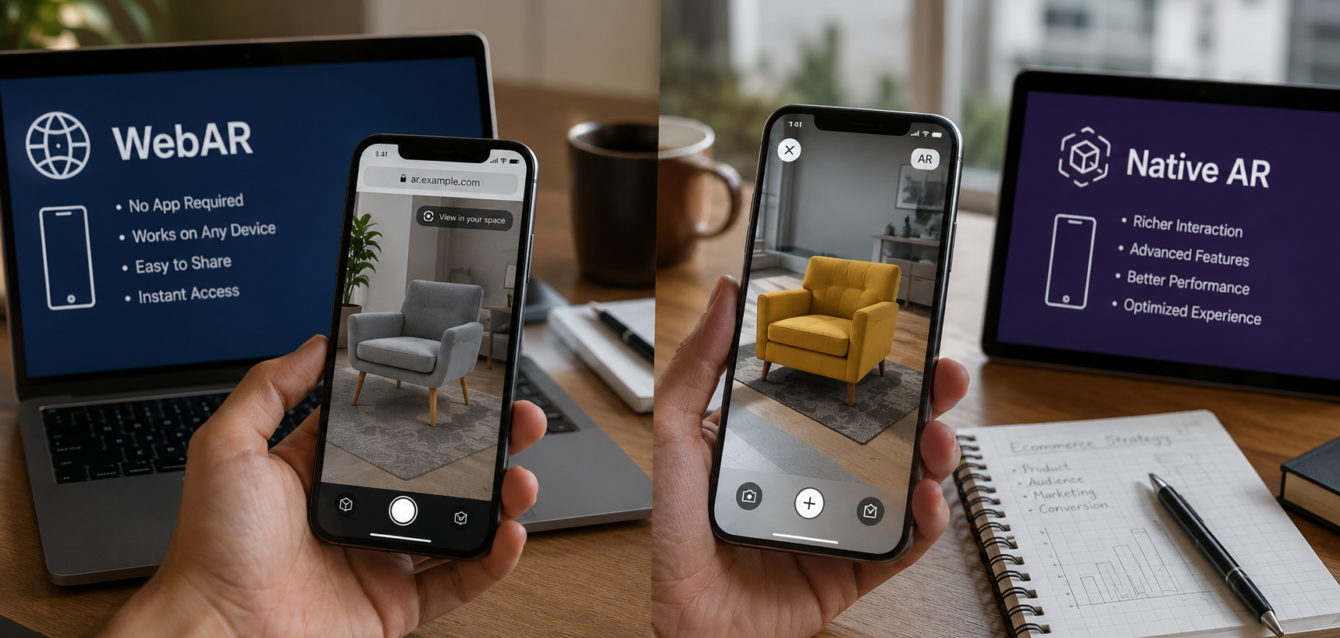
TL;DR: WebAR wins for reach and speed-to-market—shoppers open a link and instantly interact with products in 3D, no app download required. Native AR wins for performance and advanced features like persistent anchors and occlusion. Most ecommerce brands in 2026 should start with WebAR for fast ROI, then layer in a native app if power-user features justify the investment.
Augmented reality has moved well beyond novelty in ecommerce. By 2026, AR-powered product visualization is a proven conversion driver: shoppers who engage with 3D/AR content convert up to 94% more often than those who view static images. The real question for brands isn’t whether to adopt AR—it’s which platform to build on.
Two paths dominate the landscape: WebAR (browser-based AR that runs through a URL, no app install) and native AR (purpose-built apps using ARKit on iOS or ARCore on Android). Each comes with distinct trade-offs in development cost, user experience, performance, and scalability. This guide breaks down everything ecommerce brands need to know to make the right call in 2026.
What Is WebAR?
WebAR delivers augmented reality experiences directly through a mobile or desktop browser. Using technologies like WebXR Device API, WebGL, and frameworks such as model-viewer, AR.js, or 8th Wall, shoppers can tap a product link and instantly see a 3D model placed in their real environment—no app download, no app store approval, no friction.
The key advantage is zero-install accessibility. A customer browsing your Shopify or WooCommerce store clicks “View in AR,” their camera opens, and the product appears on their kitchen counter or living room floor. The entire experience lives in the browser, which means it works across iOS, Android, and desktop with a single codebase.
What Is Native AR?
Native AR refers to augmented reality experiences built as dedicated mobile apps using platform-specific SDKs: ARKit for iOS and ARCore for Android. These apps are downloaded from the App Store or Google Play and run directly on the device’s hardware with full access to advanced sensors, GPU acceleration, and OS-level features.
Native AR shines when you need high-performance rendering, complex physics simulations, or advanced AR capabilities like people occlusion, motion capture, persistent anchors, or shared AR experiences. Brands like IKEA (IKEA Place) and Nike (Nike Fit) have invested heavily in native AR apps to deliver premium, high-fidelity experiences that leverage every bit of the device’s processing power.
WebAR vs Native AR: Head-to-Head Comparison
1. Development Cost & Time
WebAR is significantly cheaper and faster to build. A single web development team can create a WebAR experience using JavaScript, WebGL, and a framework like 8th Wall or model-viewer. Development timelines typically range from 2–6 weeks depending on complexity, and costs start around $5,000–$25,000 for a basic product configurator.
Native AR requires separate development for iOS (Swift + ARKit) and Android (Kotlin/Java + ARCore), effectively doubling the workload unless you use a cross-platform engine like Unity. Native projects typically take 8–20 weeks and cost $30,000–$150,000+ for a production-quality app with 3D rendering, physics, and e-commerce integration.
2. Performance & Fidelity
Native AR is the clear winner here. Direct access to the device’s GPU, metal/Vulkan rendering pipelines, and sensor data means smoother frame rates, higher polygon counts, and more realistic lighting. Complex scenes with multiple objects, physics, and real-time shadows run without the overhead of a browser layer.
WebAR has improved dramatically—WebGL 2.0 and the WebXR API have closed much of the gap—but browser overhead still limits performance on lower-end devices. For most ecommerce use cases (single product placement, simple animations, material swaps), WebAR performance is more than adequate. For photorealistic scenes with dozens of objects, native remains superior.
3. Reach & Accessibility
WebAR wins by a landslide. Every shopper with a modern browser can access the experience instantly—no download, no storage space, no app store friction. This is critical because app download funnels are brutal: studies show that over 80% of users abandon an app download if it takes more than a few seconds. For impulse-buy ecommerce, that friction kills conversions.
Native AR requires users to find your app in the App Store, download it, install it, and open it before they can do anything. This is acceptable for brands with strong loyalty (IKEA, Nike, Sephora) but creates a massive barrier for new customer acquisition. Your AR experience only reaches people who already know and trust your brand enough to install an app.
4. User Experience & Friction
WebAR offers a frictionless path: browse → click “View in AR” → camera opens → product appears. The entire flow happens within the shopping context, preserving purchase intent. On iOS, Safari now supports Quick Look for USDZ files, which means shoppers can place products in AR directly from Safari with a native-level experience—no web framework needed.
Native AR interrupts the shopping flow. The user must leave your website, go to an app store, download, and return. Even if the AR experience is superior, the context switch kills momentum. Native apps do offer better retention features though—push notifications, saved sessions, offline mode—that can improve lifetime value for repeat customers.
5. Maintenance & Updates
WebAR updates are instant. Push a new version to your server and every user gets it immediately—no app review process, no version fragmentation. Bug fixes, new products, and UI changes ship in minutes.
Native AR updates go through App Store and Google Play review (1–7 days), and users must download the update. Older versions of your app remain in the wild, creating fragmentation. You also need to maintain compatibility with multiple OS versions and device configurations.
When to Choose WebAR for Ecommerce
WebAR is the right choice when:
- You sell low to mid-consideration products where impulse and speed matter (furniture, decor, accessories, packaging)
- Your primary goal is new customer acquisition through low-friction AR experiences
- You want to test AR adoption before investing in a full native app
- You need fast iteration—adding new products, changing configurations, A/B testing placements
- Your budget is under $50,000 and your timeline is under 3 months
- You sell through marketplaces (Amazon, Shopify) where you can’t push a native app
When to Choose Native AR for Ecommerce
Native AR makes sense when:
- You’re a large brand with an existing app ecosystem and strong user retention
- You need advanced AR features: persistent world maps, shared multi-user AR, body tracking, motion capture
- Your products require photorealistic rendering with complex materials, lighting, and physics (jewelry, automotive, architecture)
- You want offline access and push notifications to drive repeat engagement
- Your AR experience is a core brand differentiator, not just a product visualization tool
- You have budget above $50,000 and a 4+ month development timeline
The Hybrid Approach: WebAR First, Native Later
For most ecommerce brands in 2026, the smartest strategy is WebAR first. Launch a browser-based AR experience integrated into your product pages, measure conversion lift and user engagement, and then decide if a native app investment is justified.
This approach minimizes risk, gets AR into customers’ hands fast, and generates data on which AR features actually drive conversions. If your analytics show that users want persistent saved configurations, push notifications about new AR-ready products, or offline access, then you have a clear business case for building a native app.
Many brands use Unity + WebXR export to build once in Unity and deploy to both web and native, reducing the cost of maintaining two separate codebases. Tools like 8th Wall also allow you to build in a web-native framework and then wrap the experience into a native app shell if needed.
Cost Comparison Summary
| Factor | WebAR | Native AR |
|---|---|---|
| Development Cost | $5K–$25K | $30K–$150K+ |
| Time to Launch | 2–6 weeks | 8–20 weeks |
| Update Speed | Instant | 1–7 days (app review) |
| User Friction | None (browser link) | High (app download) |
| Performance | Good (browser-limited) | Excellent (full hardware) |
| Reach | All modern browsers | App store users only |
| Maintenance | Single codebase | iOS + Android separate |
FAQ: WebAR vs Native AR for Ecommerce
Can WebAR work on both iOS and Android?
Yes. WebAR works across iOS (Safari) and Android (Chrome) browsers. On iOS, Apple’s Quick Look also supports direct AR placement of USDZ files from Safari, giving a near-native experience without any web framework. Android Chrome supports the WebXR Device API for immersive AR sessions.
Do shoppers need to download anything for WebAR?
No. WebAR requires no app download. Shoppers simply click a link or button on your product page, their browser opens the camera, and the AR experience starts immediately. This zero-friction flow is the primary advantage of WebAR for ecommerce.
Is WebAR fast enough for complex 3D product configurators?
For most ecommerce configurators—swapping materials, colors, finishes, and placing a single product in AR—WebAR performance is excellent. If your configurator involves dozens of simultaneous 3D objects, real-time physics, or photorealistic rendering with ray tracing, native AR will deliver better results.
How much does it cost to build a WebAR experience?
A basic WebAR product viewer with 3D model placement typically costs $5,000–$15,000. More advanced experiences with material swapping, multi-product scenes, and e-commerce integration range from $15,000–$40,000. Enterprise-grade WebAR with custom physics and brand styling can reach $50,000+.
Which AR platform has better conversion rates for ecommerce?
WebAR typically generates higher conversion rates for new customers because the zero-friction experience preserves purchase intent. Native AR can generate better engagement and retention for existing customers who already have the app installed. The right choice depends on whether your priority is acquisition or retention.
Final Verdict
For most ecommerce brands in 2026, WebAR is the winning starting point. It offers the lowest barrier to entry, the fastest time-to-market, and the broadest reach—all critical factors in competitive ecommerce where every second of friction costs sales. Native AR remains the better choice for established brands that need maximum performance and have the budget to invest in a dedicated app experience.
The best strategy? Start with WebAR, measure the results, then scale to native if the data justifies it. This de-risks your AR investment while still capturing the conversion lift that immersive product visualization delivers.
Ready to bring AR to your ecommerce store? Contact Ink & Algorithm to discuss your WebAR or native AR project—we build both, and we’ll help you choose the right path for your brand.