
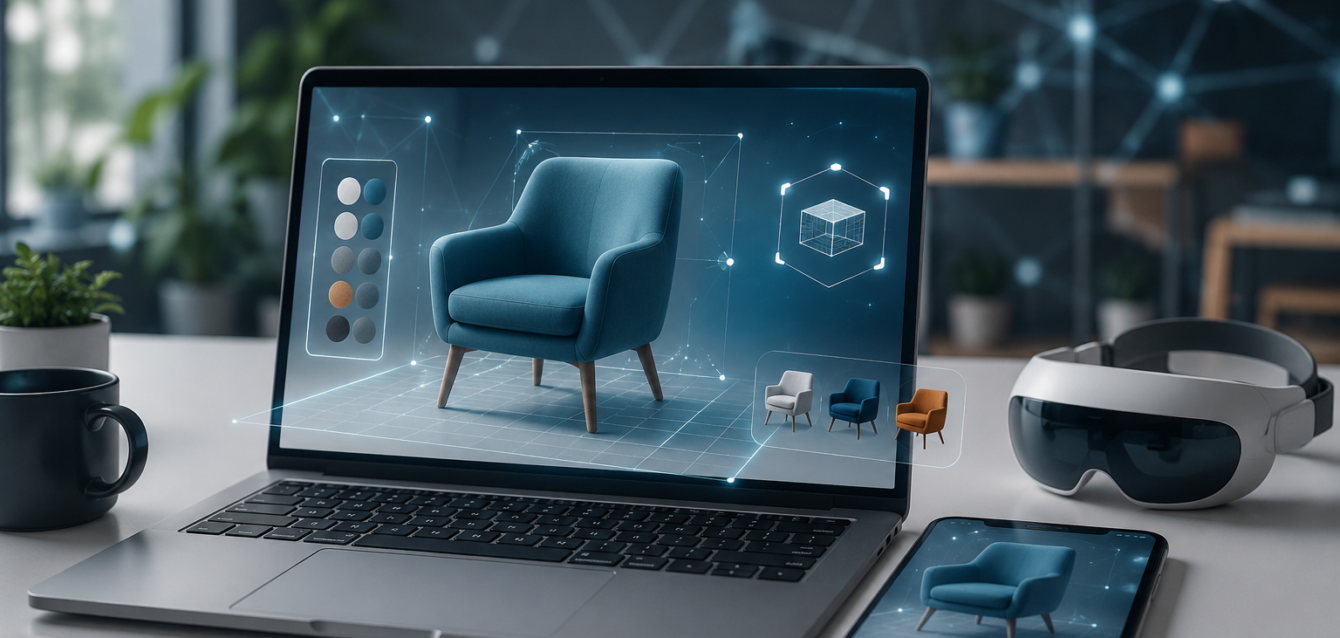
TL;DR: WebXR is the web standard that powers browser-based AR and VR experiences. Brands use it to build product visualizers, virtual try-ons, and interactive 3D configurators that work across iOS, Android, and desktop—no app install needed. This guide covers the technology stack, framework choices, development costs, and deployment strategies for brands launching WebXR experiences in 2026.
WebXR (Web Extended Reality) is the API that makes browser-based AR and VR possible. It’s the foundation behind every WebAR product viewer, virtual try-on, and 3D configurator that launches from a link instead of an app. For brands, WebXR represents the most accessible, scalable path to AR—reaching every customer with a modern browser, regardless of device or operating system.
But building with WebXR involves real technical decisions: which framework to use, how to handle 3D assets, what device capabilities to target, and how to deliver experiences that load fast on mid-range phones. This guide walks through everything brands need to know to launch a successful WebXR project in 2026.
What Is WebXR?
WebXR is a W3C standard web API that enables immersive AR and VR experiences in web browsers. It evolved from the earlier WebVR API (which was VR-only) to support both augmented reality and virtual reality, as well as inline (non-immersive) 3D experiences that work on desktop browsers without a headset.
The API handles the hard parts of AR: camera access, motion tracking, environmental understanding, and rendering. A WebXR session can detect surfaces for product placement, track device movement for realistic AR, and render 3D content that stays anchored in the real world as the user moves around.
Most consumers never see the API directly—they experience WebXR through frameworks that build on top of it. But understanding what WebXR enables helps brands make informed decisions about what’s possible in a browser-based AR experience.
The WebXR Technology Stack
1. The WebXR Device API
The core browser API that manages AR/VR sessions. It provides:
- Session management — starting, pausing, and ending AR experiences
- Pose tracking — following the device’s movement in 3D space
- Reference spaces — local (room-scale), floor-level, and viewer-relative coordinate systems
- Hit testing — detecting real-world surfaces for placing virtual objects
- Camera access — passing the live camera feed as a background for AR overlays
2. WebGL for Rendering
WebGL (and its successor WebGPU) handles the actual 3D rendering—the polygons, textures, lighting, and shaders that make virtual objects look real. WebGL 2.0 is supported in all modern browsers and provides the rendering pipeline that WebXR uses to draw AR content.
3. 3D Frameworks
Brands rarely build WebXR experiences with raw WebGL. Instead, they use higher-level frameworks that handle rendering, asset loading, animation, and AR-specific features:
- Three.js — The most popular JavaScript 3D library. Open-source, massive community, extensive documentation. Great for custom builds and developers who want full control.
- model-viewer — Google’s web component for displaying 3D models. Drop-dead simple: one HTML tag, and you have a 3D viewer with AR support. Best for basic product visualization.
- 8th Wall — Commercial platform (acquired by Niantic) that provides image tracking, face tracking, world tracking, and SLAM for WebAR. Highest quality tracking but requires a subscription.
- AR.js — Open-source AR library that supports marker-based and location-based AR. Free but less polished than commercial alternatives.
- A-Frame — Entity-component framework built on Three.js. Uses HTML-like syntax, making it accessible to web developers without deep 3D graphics experience.
- Babylon.js — Microsoft-backed 3D engine with built-in WebXR support. Strong for complex scenes and enterprise applications.
4. 3D Asset Formats
The 3D model format you choose affects loading speed, quality, and device compatibility:
- glTF/GLB — The standard for web 3D. Compact, efficient, supported by all major frameworks. Use this for production.
- USDZ — Apple’s format, used for iOS Quick Look. Essential if you want native AR placement on iPhone Safari without any framework.
- OBJ/FBX — Legacy formats. Convert to glTF for web delivery.
Choosing the Right WebXR Framework
| Framework | Best For | Cost | AR Quality |
|---|---|---|---|
| model-viewer | Simple product viewers, Quick Look | Free | Basic placement |
| Three.js + WebXR | Custom experiences, full control | Free | Good (manual) |
| 8th Wall | Production WebAR, face/world tracking | $99–$2K+/mo | Excellent |
| A-Frame | Rapid prototyping, web devs | Free | Good |
| Babylon.js | Enterprise, complex scenes | Free | Very good |
| AR.js | Marker-based AR, budget projects | Free | Basic |
For most ecommerce brands, the decision comes down to model-viewer (free, simple, covers 80% of use cases) vs 8th Wall (paid, advanced tracking, production-grade quality). Start with model-viewer for basic product placement; upgrade to 8th Wall if you need face tracking, image targets, or world-scale AR.
What Brands Can Build with WebXR in 2026
Product Visualization
The most common WebXR use case: a shopper views a 3D model of a product on their phone, taps “View in your space,” and the product appears in their room through the camera. This works for furniture, appliances, decor, electronics—any product where size, fit, and context matter.
Virtual Try-On
WebXR supports face tracking through frameworks like 8th Wall, enabling browser-based virtual try-on for eyewear, jewelry, cosmetics, and hats. Shoppers see the product on their face in real time, adjusting position and style without an app. This is one of the highest-converting WebXR use cases, with try-on experiences driving 2–3x higher conversion than static product images.
Interactive Configurators
3D product configurators let shoppers customize materials, colors, and features in real time, then view the configured product in AR. A furniture shopper can swap fabric colors, change leg styles, and place the final configuration in their living room—all in the browser. These configurators drive 40–94% higher conversion compared to static product pages.
AR Packaging and Marketing
Brands create AR experiences triggered by product packaging, print ads, or billboards. A shopper scans the package with their phone camera and the AR experience launches in the browser—no app needed. This enables interactive unboxing, product stories, and gamified brand experiences.
Virtual Showrooms and Tours
Real estate, automotive, and B2B brands use WebXR to create virtual showrooms that customers can explore from any device. A car buyer can walk around a 3D vehicle, open doors, change paint colors, and sit inside the virtual interior—all from a browser link.
Development Cost and Timeline
WebXR project costs vary based on complexity and framework choice:
- Basic model-viewer integration (3D product viewer + AR placement): $3,000–$10,000, 1–3 weeks
- Custom Three.js/WebXR experience (interactive 3D with AR): $10,000–$40,000, 3–8 weeks
- 8th Wall production WebAR (face tracking, image targets, world AR): $15,000–$60,000, 4–10 weeks
- Full 3D configurator + WebXR (real-time customization + AR): $25,000–$100,000, 6–14 weeks
- Enterprise virtual showroom (multi-product, complex scenes): $50,000–$200,000+, 10–20 weeks
Ongoing costs are minimal for free frameworks (just hosting). 8th Wall charges based on monthly active users, typically $99–$2,000+/month depending on traffic.
Best Practices for WebXR Development
Optimize 3D Assets for Web
The biggest performance killer in WebXR is oversized 3D models. A 50MB CAD model that looks great on a workstation will crash a phone. Optimize aggressively: compress textures, reduce polygon counts, use Draco mesh compression, and target total file sizes under 5MB for mobile. Tools like gltf-pipeline and Draco can reduce file sizes by 70–90% with minimal visual quality loss.
Design for Mobile First
Most WebXR sessions happen on phones, not desktops. Design for touch interaction, one-handed use, and small screens. Keep UI elements large and accessible. Test on mid-range Android devices, not just flagship phones—your customers use the full range of hardware.
Provide Progressive Enhancement
Not every device supports WebXR. Build experiences that degrade gracefully: if AR isn’t available, show an inline 3D viewer. If WebGL isn’t supported, show a 360° image fallback. Never show an error—always provide the best experience the device can handle.
Optimize Loading Speed
WebXR experiences that take more than 3 seconds to load lose 40% of users. Use lazy loading, progressive texture loading, and pre-compressed assets. Show an engaging loading screen—not a blank page. Consider using a CDN for 3D asset delivery to reduce latency globally.
FAQ: WebXR Development
Does WebXR work on both iOS and Android?
Yes. WebXR works on iOS Safari and Android Chrome. On iOS, the WebXR Device API is supported in recent Safari versions, and Apple’s Quick Look provides an additional native AR pathway for USDZ files. Android Chrome has full WebXR support including AR sessions with surface detection and hit testing.
Do users need to download an app for WebXR?
No. WebXR experiences run entirely in the browser—no app download required. This is the primary advantage over native AR apps. Users simply open a link, the browser handles camera access and AR rendering, and the experience launches instantly. This zero-friction delivery dramatically increases user adoption.
What’s the difference between WebXR and WebAR?
WebXR is the underlying API standard that enables both web-based AR and VR. WebAR is a subset—the AR-specific use case of WebXR. In practice, the terms are often used interchangeably in marketing, but technically WebXR is the technology and WebAR is the AR experience built on top of it.
How much does it cost to build a WebXR experience?
A basic 3D product viewer with AR placement using model-viewer costs $3,000–$10,000. A custom WebXR experience with interactive features and 8th Wall tracking runs $15,000–$60,000. A full 3D configurator with WebXR AR integration ranges from $25,000–$100,000. Ongoing hosting costs are minimal for free frameworks; 8th Wall charges based on monthly active users.
Can WebXR handle face tracking for virtual try-on?
Yes. Frameworks like 8th Wall provide browser-based face tracking that enables virtual try-on for eyewear, jewelry, cosmetics, and accessories. The face tracking runs in real time through the browser, tracking facial landmarks and overlaying 3D products with realistic positioning. This is one of the highest-converting WebXR use cases for ecommerce.
Getting Started with WebXR
For brands planning a WebXR project in 2026, the path forward is clear:
- Define the use case — product visualization, try-on, configurator, or virtual showroom
- Choose the framework — model-viewer for basics, 8th Wall for production-grade AR
- Prepare 3D assets — convert to glTF/GLB, optimize for mobile, target under 5MB
- Build, test, deploy — develop the experience, test on real devices, deploy via a simple URL
The brands that invest in WebXR now are building a capability that will compound—every 3D asset created today can power product pages, AR experiences, configurators, and social content tomorrow. It’s not a one-time project; it’s a visual content infrastructure that scales with your business.
Ready to build your WebXR experience? Contact Ink & Algorithm to discuss your browser-based AR project—we’ll help you choose the right framework, optimize your 3D assets, and deploy an experience that reaches every customer with a browser.