
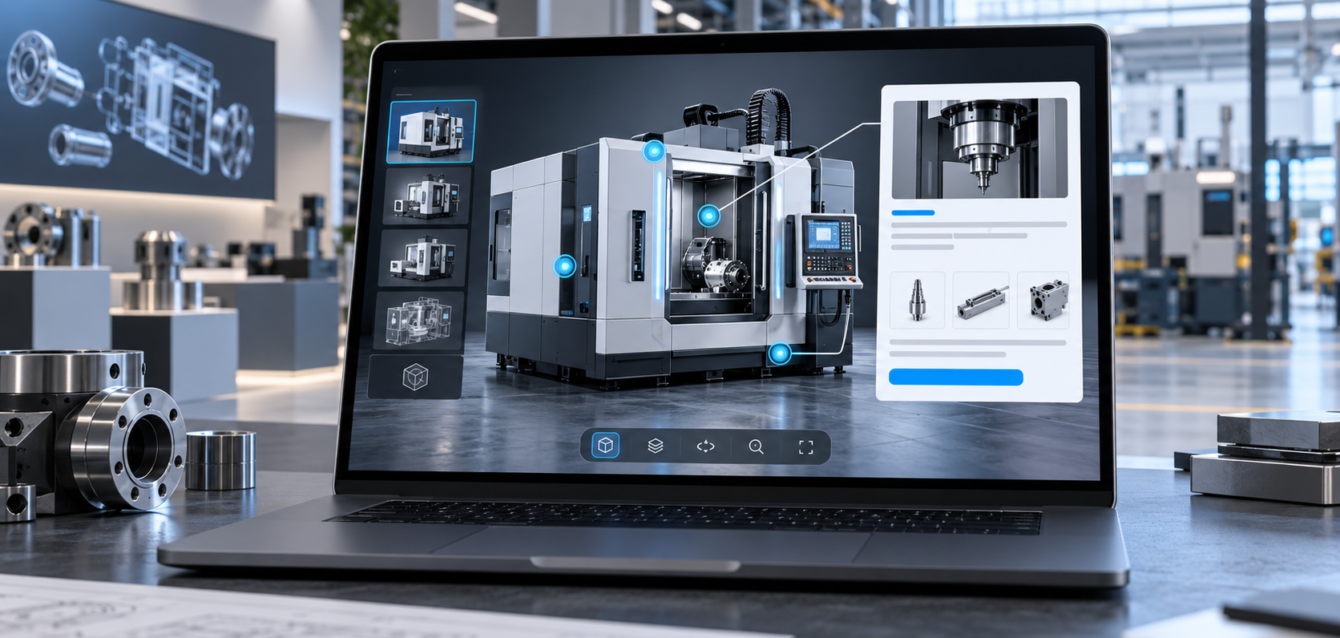
Manufacturing buyers rarely make decisions from a flat product photo alone. They need to understand scale, movement, options, compatibility, and the practical value of a system before they are ready to speak with sales. That is where WebGL product demos can make a manufacturing website more useful.
A WebGL demo lets visitors rotate, zoom, inspect, and interact with a product directly inside the browser. For complex machinery, industrial components, configurable equipment, or technical product lines, this creates a clearer buying experience without asking the visitor to download a heavy file or wait for a live presentation.
Why manufacturing websites need interactive product demos
Many manufacturing websites still depend on static galleries, PDF brochures, and long specification tables. Those assets are useful, but they do not always answer the first questions a buyer has: how does the product work, what changes when options are selected, and what makes this solution different?
Interactive WebGL demos give product, engineering, and sales teams a shared visual tool. The visitor can explore the product at their own pace while the page explains the business case, technical fit, and next step. For enterprise teams planning more advanced digital sales tools, this can also become the foundation for a full 3D product configurator requirements workflow.
What a useful WebGL demo should include
A strong WebGL product demo is not just a 3D model placed on a page. It should be designed around the buyer journey. The experience needs a fast-loading model, clear camera controls, meaningful hotspots, useful labels, and calls to action that match the stage of interest.
- Fast first load: compressed assets and optimized textures help keep the page usable on normal business devices.
- Guided product education: hotspots can explain key components, performance benefits, safety features, or integration points.
- Option previews: buyers can compare finishes, sizes, modules, accessories, or application-specific versions.
- Sales handoff: the page should make it easy to request a quote, book a demo, or send selected context to the sales team.
How WebGL demos support lead quality
For B2B and manufacturing companies, more traffic is not always the main goal. The better goal is more qualified interest. A well-planned WebGL demo can help buyers self-educate before contacting the team, which often leads to better questions and more productive sales conversations.
Sales teams can also use the same demo during calls, trade show follow-ups, or distributor conversations. Instead of describing product details verbally, they can show the product in context and move directly to fit, use case, and ROI. This is especially useful for companies already investing in custom web development and interactive product pages.
Performance matters as much as visuals
A beautiful 3D model can hurt conversions if it slows the page down. WebGL product demos should be built with performance budgets from the start. Asset compression, texture planning, lazy loading, mobile fallbacks, and browser testing should be part of the production process, not a final cleanup step.
The best demos feel simple to the buyer even when the underlying product is complex. That balance requires technical planning, product understanding, and a clear content strategy. The demo should not distract from the sale; it should make the value easier to understand.
When to choose a demo instead of a full configurator
A WebGL product demo is often the right starting point when the goal is education, visualization, or product storytelling. A full configurator is better when buyers need to build a valid configuration, generate a quote, or sync selected options with CRM, ERP, Shopify Plus, or Salesforce workflows.
Many teams start with a focused demo and expand later. This keeps the first launch practical while creating a reusable technical base for deeper interactivity. Ink & Algorithm helps product teams plan interactive 3D, WebGL, AR, VR, and product visualization services around real sales and marketing goals.
How to plan the demo before design starts
Before a WebGL product demo moves into design or development, the team should agree on the exact job the page needs to do. A demo for a new visitor may focus on product education, while a demo for a sales-ready buyer may highlight options, compatibility, quote preparation, or integration details. This planning keeps the experience focused instead of turning it into a visually impressive but unfocused model viewer.
The simplest planning method is to map the demo around buyer questions. What does the product do? Which components matter most? What changes by industry or application? What should the buyer do after exploring it? When these questions are answered early, designers can choose the right interactions and developers can build only the features that support the sales goal.
What teams should measure after launch
After launch, the demo should be reviewed like a sales asset, not just a design feature. Useful signals include how many visitors open the 3D experience, which hotspots receive attention, how long people interact with the model, and whether interaction leads to quote requests, demo bookings, or contact form submissions. These insights can guide future product pages and help the team decide when a full configurator is worth building.
Final thought
WebGL product demos can turn a manufacturing website from a brochure into a useful buying tool. When the experience is fast, clear, and connected to the sales journey, buyers understand the product sooner and sales teams receive better-informed leads.