
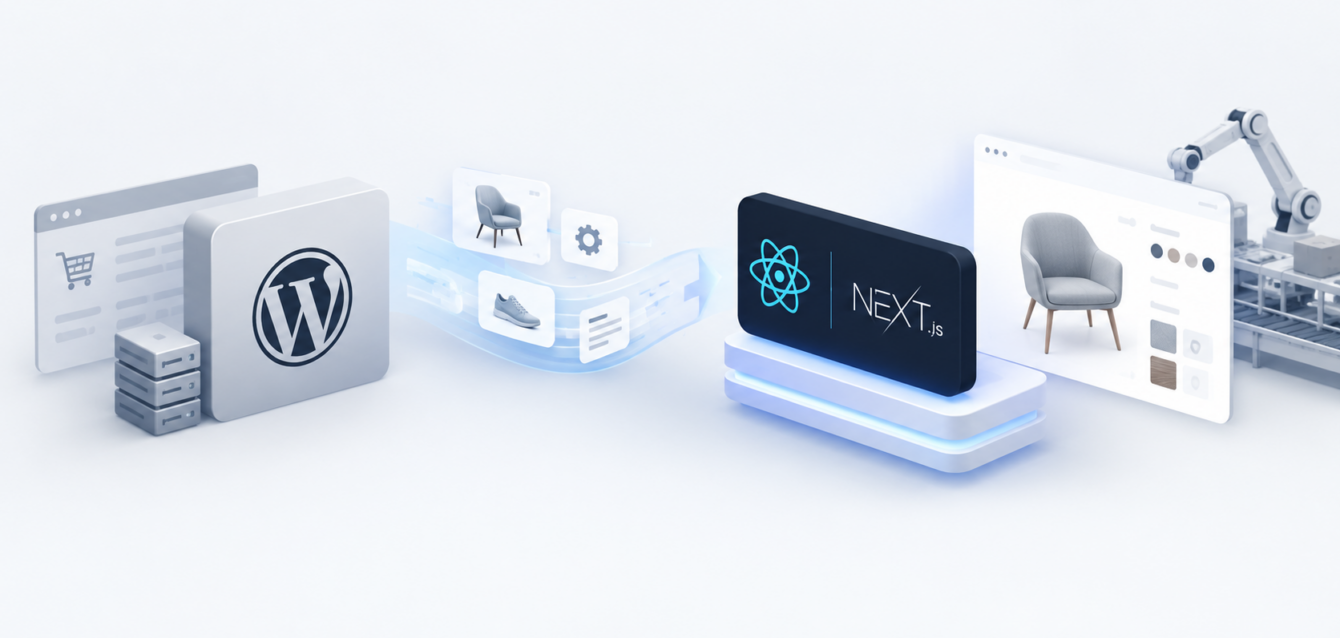
Executive summary: High-growth manufacturers and customizer brands often outgrow WordPress when one installation is expected to support direct-to-consumer sales, dealer ordering, private-label portals, complex product configuration, and real-time inventory. A headless architecture separates the customer experience from commerce operations. The result is not automatically faster or more reliable, but it gives digital teams the control needed to remove plugin bottlenecks, isolate failures, and scale each layer independently.
This guide explains when to migrate WordPress to headless e-commerce, how a Next.js manufacturing e-commerce stack works, and how to plan the move without interrupting revenue.
The WordPress Ceiling for High-Volume Customizer Brands
WordPress and WooCommerce can be effective for a straightforward catalog or an early-stage store. The ceiling appears when a business asks one database and a growing collection of plugins to serve several commercial models at once.
A typical manufacturing brand may need to support:
- A public informational catalog for engineers, specifiers, and procurement teams.
- A dealer or wholesale portal with account-specific pricing and minimum order rules.
- A direct-to-consumer storefront with promotions, tax, shipping, and payment integrations.
- A private-label experience with different branding, products, and commercial terms.
- A 3D product configurator that calculates valid options, pricing, and lead times in real time.
As those requirements accumulate, every page request can trigger theme logic, plugin hooks, database joins, pricing rules, inventory checks, and third-party scripts. A slow query or incompatible update can affect the entire buying journey. Teams then spend more time managing caching layers, plugin conflicts, and emergency fixes than improving the customer experience.
Where checkout friction usually begins
The most visible symptom is often checkout instability, but the underlying issue starts earlier. Product pages become heavy, variation data grows, inventory calls compete with marketing scripts, and customer-specific pricing adds server-side work. During a campaign or seasonal peak, the database becomes the shared bottleneck.
To eliminate WordPress checkout bottlenecks, first separate symptoms from causes. Measure server response time, database query duration, cart and checkout errors, third-party API latency, cache hit rate, and failed orders. A headless migration is justified when the current platform cannot meet the business requirement without repeated infrastructure workarounds.
The Headless Next.js Advantage
In a headless model, the frontend is decoupled from the commerce backend. Next.js renders the storefront and product experience, while dedicated services manage products, customers, pricing, inventory, orders, and payments through APIs.
This separation is especially valuable for manufacturers using 3D visualizers or custom product builders. The configurator can run as a focused application rather than being embedded inside a theme that also controls checkout, content, and account management.
What improves after decoupling
- Independent scaling: Traffic to the frontend can increase without forcing the order system, CMS, and product database to scale in exactly the same way.
- Failure isolation: A content editor issue or marketing plugin update does not have to take the checkout experience down with it.
- Faster navigation: Prefetching, edge delivery, caching, and partial rendering can make repeat transitions feel immediate. Sub-100ms interaction targets are possible for cached routes, but should be verified under real user conditions.
- Cleaner integrations: ERP, PIM, CRM, payment, tax, shipping, and configurator services communicate through explicit contracts instead of plugin chains.
- Controlled releases: Frontend teams can test and deploy customer-facing changes without changing the commerce engine.
A well-designed Next.js manufacturing e-commerce solution also gives teams more control over accessibility, structured data, internationalization, and Core Web Vitals. The technology itself is not the strategy; the advantage comes from clear service boundaries and disciplined observability.
One Database, Four Storefront Models
The strongest business case for headless commerce is often multi-storefront synchronization. Instead of copying products and inventory between separate WordPress sites, a unified product and order layer can serve several frontends.
1. Informational catalog
The public catalog can prioritize technical specifications, downloadable assets, application guidance, and lead generation. It can be indexed for search without exposing dealer pricing or private commercial rules.
2. Dealer wholesale portal
Authenticated dealers can see account-specific assortments, contract pricing, credit terms, order history, and bulk-order tools. Permissions belong in the commerce and identity layer rather than in a collection of page-level plugins.
3. Direct-to-consumer store
The D2C storefront can support promotions, consumer payment methods, fulfillment options, and personalized product recommendations while using the same approved product data and inventory source.
4. White-label storefront
Private-label partners can receive a branded frontend, selected catalog, and custom price list without creating another isolated source of truth. Each storefront consumes the same governed APIs but applies its own presentation and commercial policy.
This is the foundation of a practical B2B multi-brand e-commerce architecture: shared product, inventory, customer, and order services; separate customer experiences; and explicit rules for what each channel may display or sell.
Custom Product Builder: Shopify Headless or Custom Commerce?
A custom product builder can use Shopify headless when the product and checkout model fits Shopify’s capabilities. The frontend can be built in Next.js, while Shopify handles catalog, cart, checkout, and order management. The 3D configurator sends a validated configuration, selected options, and pricing context into the cart.
A more custom commerce engine may be appropriate when the business requires deep bill-of-material calculations, dealer-specific contracts, quote-to-order workflows, complex approval chains, or ERP-controlled pricing. The decision should be based on domain complexity, not platform fashion.
Before choosing a stack, document:
- Who owns product configuration rules.
- Where price, inventory, and lead time are authoritative.
- How a configuration becomes a quote, cart line, or manufacturing order.
- Which data must be synchronized in real time.
- What happens when an upstream service is unavailable.
Security, Reliability, and Speed Benchmarks
Headless architecture reduces some risks and introduces others. A smaller public attack surface and fewer WordPress plugins can lower exposure, but API authentication, token handling, rate limits, dependency security, and access control become first-class responsibilities.
Recommended acceptance targets
- Define a checkout uptime objective such as 99.9%, then measure it with synthetic tests and real transaction monitoring.
- Target a 90+ mobile Lighthouse score on representative templates, while prioritizing field Core Web Vitals from real users.
- Track Largest Contentful Paint, Interaction to Next Paint, Cumulative Layout Shift, server response time, and API error rate.
- Load-test product configuration, cart, login, pricing, and checkout paths before launch.
- Use idempotency for order creation so retries do not create duplicate orders.
- Log configuration IDs from visualizer to order confirmation for end-to-end traceability.
Performance should be tested with realistic product data, mobile networks, third-party scripts, and peak traffic. A clean demo is not a production benchmark.
The Five-Phase Headless Migration Blueprint
Phase 1: Discovery and dependency mapping
Inventory every WordPress plugin, theme customization, webhook, scheduled job, payment method, tax rule, shipping rule, customer role, and reporting dependency. Identify the system of record for products, inventory, customers, prices, media, and orders. Establish baseline conversion, checkout error, page speed, and operational metrics.
Phase 2: Data model and API contracts
Design the target product model before exporting data. Map WooCommerce products, attributes, variations, custom fields, customers, orders, and media to the new schema. Define API contracts for the storefront, configurator, PIM, ERP, CRM, and fulfillment systems.
Phase 3: Frontend and commerce foundation
Build the Next.js storefront around reusable product, account, cart, and content components. Integrate the selected commerce engine and identity provider. For teams evaluating a custom implementation, Ink & Algorithm’s website development services can support architecture, frontend engineering, and experience integration.
Phase 4: Parallel migration and validation
Run legacy and headless systems in parallel. Reconcile catalog counts, inventory, customer access, tax, shipping, promotions, and order totals. Test redirects, metadata, structured data, XML sitemaps, canonical URLs, analytics events, and consent behavior. Crawl the staging environment and compare it with the current site before changing DNS.
Phase 5: Controlled launch and optimization
Use a phased rollout or traffic split where possible. Monitor checkout success, payment failures, API latency, search indexing, 404s, and customer support issues. Keep a documented rollback plan. After stability is proven, retire duplicated WordPress functions and remove temporary synchronization jobs.
SEO Risks to Control During Migration
A fast new storefront can still lose organic visibility if URL mapping and content migration are treated as afterthoughts. Preserve valuable URLs where possible. Create one-to-one 301 redirects for changed paths, retain useful copy and headings, migrate image alt text, and keep canonical and hreflang rules consistent.
Before launch, verify:
- Every indexable legacy URL has a destination or a deliberate retirement decision.
- Product and category templates output complete server-rendered metadata.
- Structured data reflects visible price, availability, brand, and product information.
- Faceted navigation does not create uncontrolled duplicate URLs.
- XML sitemaps contain only canonical, indexable pages.
- Analytics and conversion events work across all storefronts.
When Should You Migrate?
Move when the business problem is architectural: multiple storefronts, complex configuration, unstable checkout, duplicated inventory, slow releases, or a high cost of plugin coordination. Do not migrate only because headless is fashionable. If the current site is stable, conversion is healthy, and the roadmap is simple, improving WooCommerce may deliver a better return.
The right first step is a platform and dependency assessment. Compare the cost of maintaining the current stack with the cost, risk, and operating model of a headless build. The migration should have measurable acceptance criteria tied to revenue, reliability, performance, and team velocity.
Frequently Asked Questions
Can we migrate WordPress to headless e-commerce without replacing WooCommerce immediately?
Yes. Some teams use WordPress or WooCommerce as a transitional backend while Next.js serves the frontend. This reduces visual migration risk, but it does not remove database and checkout limitations if WooCommerce remains responsible for the same heavy workloads.
Is Next.js suitable for manufacturing e-commerce?
Yes, especially when the storefront needs fast product discovery, account-specific experiences, 3D product visualization, and integration with PIM, ERP, CRM, or custom pricing services. Success depends on backend architecture and operational discipline as much as the frontend framework.
Can a Shopify headless storefront support a custom product builder?
It can when configurations can be translated into valid variants, line-item properties, bundles, or custom cart data. Very complex manufacturing logic may require a dedicated configuration and pricing service alongside Shopify.
How long does a headless migration take?
Timelines vary with catalog size, data quality, integrations, checkout complexity, and the number of storefronts. A phased migration with discovery, parallel validation, and controlled launch is safer than committing to a date before dependencies are mapped.
Will headless commerce automatically improve SEO?
No. It creates the technical opportunity for faster rendering and cleaner templates, but SEO improves only when server rendering, metadata, structured data, redirects, internal linking, and content are implemented and tested correctly.
Next step: If WordPress plugin bloat, checkout crashes, or multi-brand inventory synchronization are slowing growth, begin with an architecture audit. Map the current platform, quantify failure points, and define the target operating model before selecting technology.