
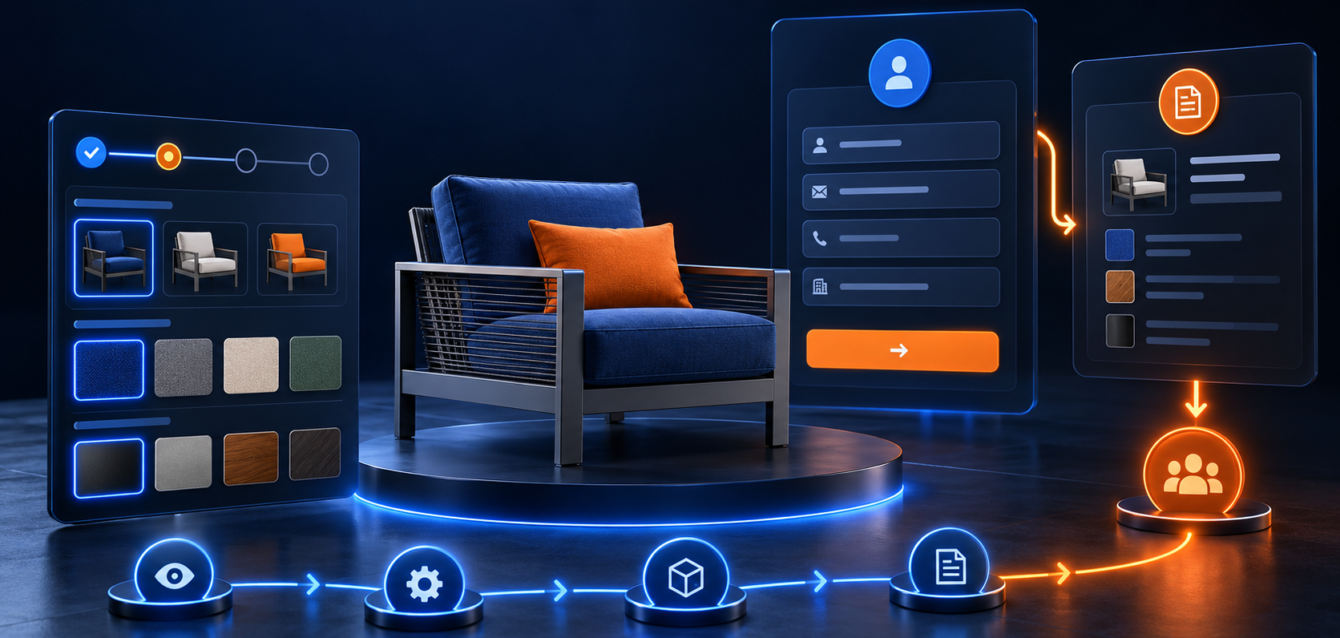
A product configurator can be one of the strongest lead-generation tools on a website when it is designed around buyer decisions. The goal is not only to let visitors click through options. The goal is to help them understand what they need, avoid invalid choices, and submit a more qualified inquiry.
This post focuses on product configurator UX and lead quality, so it supports existing service pages without copying the same intent.
Why Configurator UX Matters
Custom products can create friction. Buyers may not know which size, finish, package, material, or add-on is right for them. If they must contact sales for every small question, many leave before becoming a lead.
A product configurator turns those questions into a guided flow. Good UX helps the buyer move step by step, understand each choice, and see the result of their selections.
Start With the Buyer Journey
Before designing the interface, map how buyers normally decide. Do they choose by style first, technical requirement first, budget first, or application first? The configurator should follow the real decision path, not the internal product database structure.
Use Clear Option Groups
A strong product configurator separates choices into clear groups such as size, finish, material, accessories, performance tier, or installation type. Each group should use simple labels and avoid unnecessary jargon unless the audience expects technical detail.
Show Visual Feedback Immediately
Visual feedback builds confidence. If a buyer changes a finish, swaps a part, or selects an add-on, the preview should update quickly. This is where 3D product visualization and WebGL experiences can create a stronger buying flow than static images.
Capture Better Lead Data
A configurator should collect useful context without making the form feel heavy. Instead of asking generic questions, pass selected options into the lead form automatically. Sales teams can then see what the buyer configured, which options they explored, and what they requested.
Helpful Related Resources
For a technical planning angle, read the 3D product configurator requirements guide. If you need a broader planning article, use the product configurator planning checklist.
For service details, visit Ink & Algorithm’s 3D configurators and interactive WebGL experiences page.
Final Takeaway
A product configurator should make buying easier. When the UX is clear, visual feedback is fast, and lead data is useful, the configurator becomes more than a feature. It becomes a sales tool that helps buyers and sales teams move faster.