
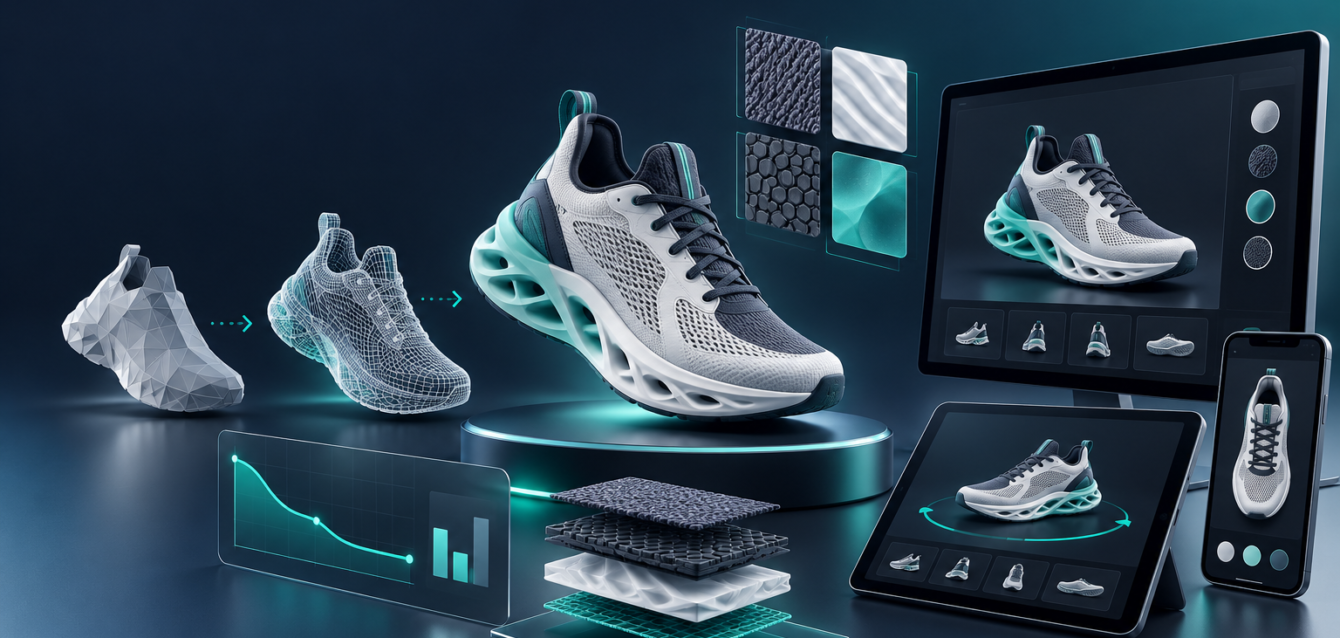
Interactive 3D can make ecommerce and B2B product experiences easier to understand, but only when the experience loads quickly. A beautifully modeled product will not help conversions if the buyer waits too long, sees a blank canvas, or cannot rotate the model smoothly on a mobile device.
That is why 3D asset optimization matters. It is the production process that turns CAD files, product scans, and high-detail renders into web-ready assets that still look accurate while loading fast enough for real buyers.
Why WebGL Asset Optimization Matters
WebGL experiences run inside the browser, so they share limits with the buyer device, network speed, browser memory, and page performance budget. The goal is not simply to reduce file size. The goal is to preserve the details that help a buyer make a decision while removing anything that slows the experience down.
For ecommerce, sales demos, and product configurators, optimized assets improve load time, interaction quality, Core Web Vitals, and buyer confidence. If the product can be explored smoothly, buyers spend more time comparing options and less time fighting the interface.
Start With the Right Source Model
Many teams begin with CAD files or high-poly models created for manufacturing, rendering, or internal engineering. Those files are usually too heavy for direct web use. They may include hidden geometry, tiny mechanical details, unnecessary internal parts, or surfaces that do not affect the visual buying experience.
The first optimization step is deciding what the buyer actually needs to see. Exterior shape, product proportions, material finish, configurable parts, and important details usually matter most. Internal production geometry can often be simplified or removed.
Use Texture Budgets Carefully
Textures can become larger than the model itself. A 4K texture may look good in a render, but it may be unnecessary for a product that appears at a smaller size inside a browser. Texture resolution, format, compression, and reuse should be planned before final export.
- Use lower-resolution textures for small or secondary parts.
- Reuse material maps where possible instead of creating unique maps for every surface.
- Compress textures into web-friendly formats when supported.
- Avoid texture detail that buyers cannot actually see at normal viewing distance.
Build for Interaction, Not Just Screenshots
A product model that looks good in one still image may not perform well when buyers rotate it, zoom into details, switch materials, or configure parts. Asset optimization should be tested through real interactions, not just a static preview.
If your product experience includes customization, review how models load and update inside a web-based 3D configurator. Every option, material, and variant adds complexity, so the asset pipeline needs to support fast switching without visual glitches.
Use LODs and Progressive Loading
Level of detail, often called LOD, helps teams show simpler geometry from a distance and more detail when needed. Progressive loading can also display the first usable version quickly, then refine the experience as heavier assets arrive.
This is especially helpful for complex products, product families, and B2B tools where buyers may inspect several options in one session. It keeps the experience responsive instead of forcing every asset to load before the page becomes useful.
Test on Real Devices
Desktop testing is not enough. Buyers may open the product experience from mobile browsers, tablets, older laptops, or in-store devices. Test load time, frame rate, texture clarity, touch gestures, and memory behavior across devices before publishing.
For teams building broader browser-based 3D tools, our guide to enterprise 3D Web development and custom WebGL explains how performance planning fits into the full build.
Optimization Checklist
- Remove hidden or unnecessary geometry.
- Reduce polygon count while preserving visible product shape.
- Use compressed, appropriately sized textures.
- Plan material variants before exporting assets.
- Test with real interactions, not just screenshots.
- Validate mobile performance and memory use.
- Track load time and engagement after launch.
Final Takeaway
3D asset optimization is not a cosmetic step at the end of a WebGL project. It is part of the product experience strategy. The best web-ready assets balance visual accuracy, speed, and interaction quality so buyers can explore products without waiting or guessing.