
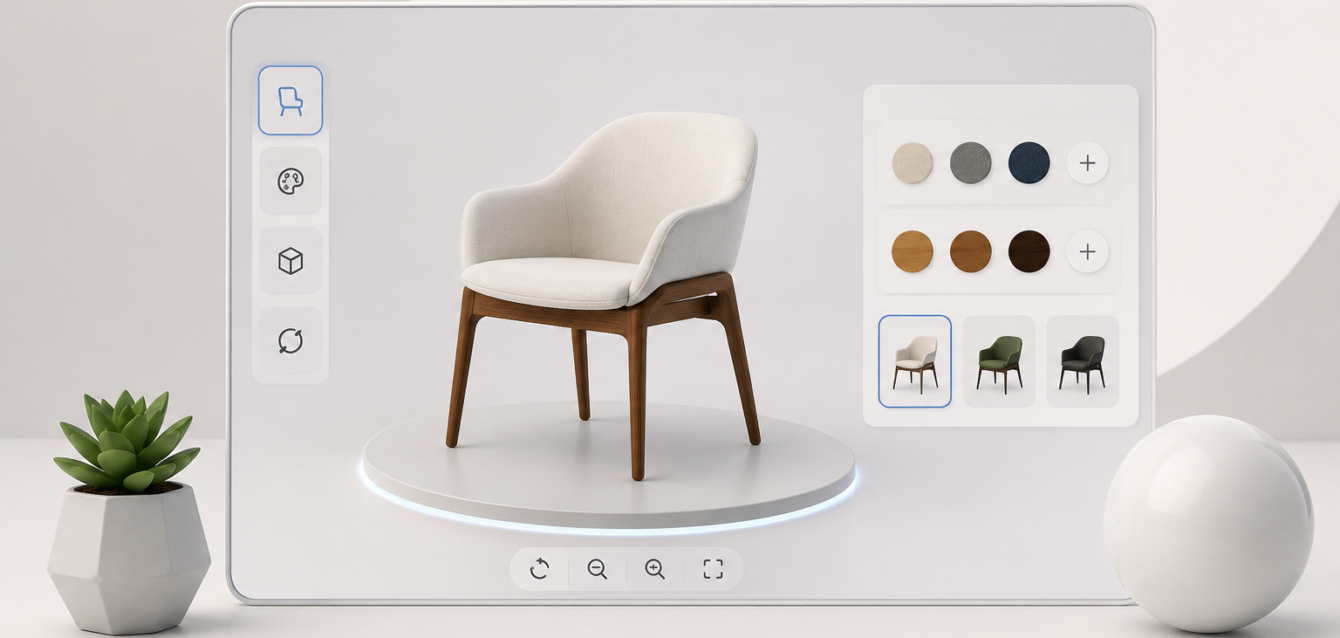
For US ecommerce brands, manufacturers, furniture companies, equipment sellers, and custom product businesses, 3D is no longer only a visual upgrade. It is becoming part of the sales process. But one question comes up often: should you build a 3D product viewer or a full 3D product configurator?
The short answer is simple. A 3D product viewer lets buyers rotate, zoom, and inspect a product in the browser. A 3D product configurator lets buyers customize that product, switch options, preview variants, and sometimes generate pricing, SKUs, quotes, or cart-ready selections.
Both can improve buyer confidence, reduce unnecessary sales calls, and make a product feel more tangible online. The right choice depends on how complex your product is, how many options you sell, and whether customers need to make decisions before speaking with sales.
Quick Comparison: Product Viewer vs Product Configurator
| Feature | 3D Product Viewer | 3D Product Configurator |
|---|---|---|
| Main purpose | Show the product in interactive 3D | Let buyers customize the product |
| Buyer actions | Rotate, zoom, inspect, sometimes view AR | Change colors, materials, sizes, parts, packages, and add-ons |
| Best for | Simple products, premium product pages, catalog visualization | Variant-heavy products, made-to-order sales, B2B quoting, ecommerce customization |
| Complexity | Lower | Medium to high |
| Typical USA project cost | $5,000 to $30,000 | $18,000 to $100,000+ |
| Timeline | 2 to 6 weeks | 6 to 16+ weeks |
| Business value | Better product understanding and engagement | Higher-quality leads, fewer manual quotes, stronger purchase intent |
What Is a 3D Product Viewer?
A 3D product viewer is an interactive model embedded on a website or ecommerce product page. Instead of looking at flat images from fixed angles, visitors can rotate the product, zoom into details, and understand shape, proportion, finish, and scale more clearly.
For many brands, this is the first practical step into browser-based 3D. It works especially well when the product has a strong visual component but does not require many configuration rules. Examples include furniture, consumer electronics, packaging, industrial parts, medical devices, appliances, and premium retail products.
A viewer can also support features such as hotspots, exploded views, annotations, product labels, lighting controls, and WebAR. When WebAR is included, mobile visitors can place the product in their own environment before buying.
When a 3D Product Viewer Is Enough
A viewer is usually the right choice when the product is sold in a small number of fixed versions. If customers mainly need to understand the product visually, a viewer can provide strong value without the extra complexity of a full configurator.
Choose a 3D product viewer when your product has one main model, a limited number of color or finish options, and a product page that already handles pricing and checkout. It is also a good fit when your team wants a faster launch, a smaller initial investment, or a proof-of-concept before building a deeper configurator.
For brands moving from traditional photography to interactive product visualization, a viewer can reduce the need to photograph every angle. It can also support marketing teams by creating a reusable 3D asset pipeline for product pages, landing pages, trade shows, and sales presentations.
What Is a 3D Product Configurator?
A 3D product configurator is a more advanced interactive experience. It does not only display the product; it lets the buyer build a version of the product that matches their needs. The user can change materials, colors, dimensions, components, accessories, packages, labels, finishes, or technical options while the 3D model updates in real time.
For ecommerce, the configurator may connect selected options to SKUs, pricing, inventory, cart rules, or product bundles. For B2B sales, it may generate a quote request, send configuration data to a CRM, or connect with CPQ workflows. This makes the configurator useful not only for marketing, but also for sales operations.
Ink & Algorithm often recommends this path for products where visual choices and commercial choices are connected. If changing a material affects price, lead time, SKU, performance, or availability, the business usually needs more than a viewer.
When You Need a 3D Product Configurator
A configurator becomes the better investment when your product has many possible combinations. This includes furniture systems, modular homes, cabinets, electronics, vehicles, equipment, machinery, apparel, packaging, and custom manufacturing products.
You should consider a configurator when customers frequently ask, “Can I see this in another color?”, “What does this look like with a different finish?”, “Can this be made in another size?”, or “How much does this exact combination cost?” These are signals that buyers need decision support before they convert.
A configurator can also reduce internal workload. Instead of sales teams manually creating mockups, checking option compatibility, and sending back-and-forth emails, customers can explore valid combinations on their own. Sales teams then receive better-qualified leads with clearer requirements.
Cost Differences in the USA
Costs vary based on product complexity, asset quality, integrations, and the number of configuration rules. As a practical planning range in the USA, a standard 3D product viewer may cost between $5,000 and $18,000. A more advanced viewer with hotspots, animations, WebAR, or multiple product models may range from $12,000 to $30,000.
A basic 3D product configurator usually starts around $18,000 to $45,000. Ecommerce-ready configurators with Shopify, WooCommerce, Magento, or custom checkout integrations often range from $35,000 to $100,000. Enterprise configurators with CPQ logic, CRM integrations, dealer workflows, advanced analytics, or large SKU systems can move beyond $100,000.
The most important cost driver is not only the 3D model. It is the business logic behind the experience: option rules, dependencies, pricing formulas, content management, analytics, and backend integration.
Technical Differences That Matter
A viewer usually needs optimized 3D assets, lighting, camera controls, responsive loading, and a clean web embed. A configurator needs all of that plus a configuration system. That system must know which choices are valid, how each option changes the model, and what data should be passed to ecommerce or sales tools.
For example, a chair viewer might show one chair in 3D. A chair configurator might allow the buyer to change fabric, legs, frame finish, cushion type, size, and accessories. Each choice may affect price, availability, render state, cart data, and production details.
This is why configurators require careful planning before development begins. The team needs a complete options list, product rules, 3D model strategy, texture strategy, user interface flow, and data structure.
Where WebAR Fits
WebAR can be used with both product viewers and configurators. With a viewer, WebAR lets buyers place a single product in their space. With a configurator, WebAR can show the customized version in the real world, which is especially useful for furniture, home products, equipment, and products where size or placement matters.
For mobile shoppers, this can be a strong conversion tool. Buyers do not need to install an app. They can open the product page, customize the item, and preview it in their space directly from the browser.
How to Choose the Right Option
Start with the sales problem. If buyers simply need a better look at the product, build a viewer. If buyers need to make choices, compare variants, understand valid combinations, or request pricing based on options, build a configurator.
A viewer is often the best first step for brands testing 3D on a smaller budget. A configurator is the better path for businesses where product complexity slows down sales, creates quote delays, or makes ecommerce harder to scale.
Ask these questions before deciding:
- How many product variants do we sell?
- Do customers need to customize before buying?
- Do option choices affect price, SKU, inventory, or lead time?
- Are sales teams manually creating visual mockups?
- Would a self-serve experience reduce quote friction?
- Do we need ecommerce, CRM, or CPQ integration?
- Would WebAR improve buyer confidence?
Recommended Path for US Brands in 2026
For simple visual products, launch a fast, high-quality 3D product viewer and measure engagement. For configurable products, invest in a structured 3D product configurator with clear rules, clean UX, and integration planning from the start.
The strongest results usually come from treating 3D as part of the buying journey, not only a visual effect. A well-built viewer helps customers understand the product. A well-built configurator helps them make a decision.
If your team is planning a browser-based 3D experience, Ink & Algorithm can help define the right scope, prepare optimized 3D assets, and build WebGL or WebAR experiences that connect with your sales process. Explore our 3D configuration services, learn more about web-based configurators, or contact us to discuss the right approach for your product.