
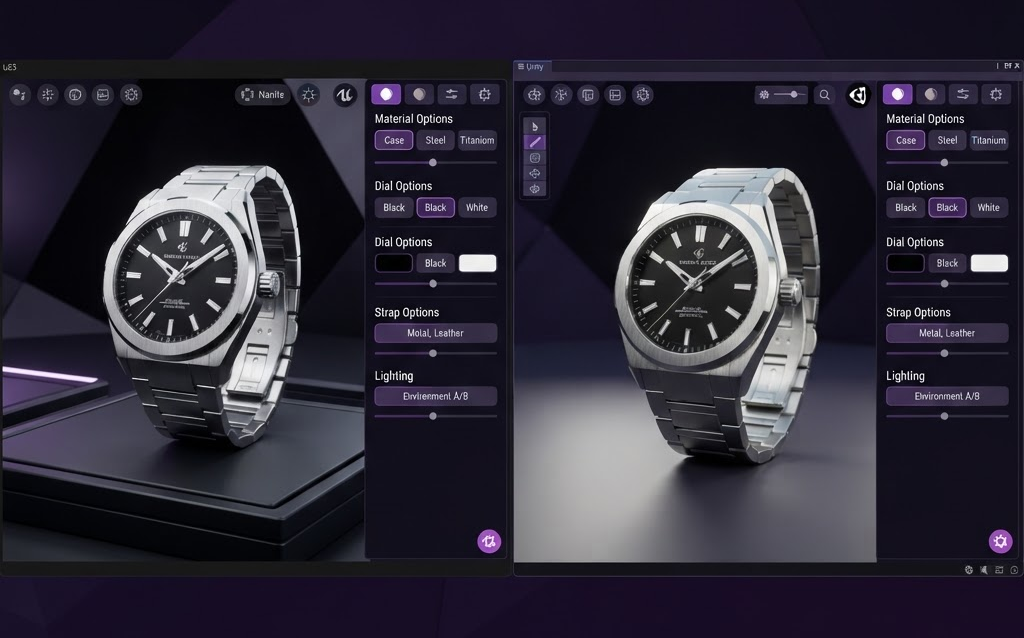
TL;DR: Unreal Engine 5 and Unity are the two leading 3D engines for building product configurators. UE5 offers superior visual quality with Lumen and Nanite but requires cloud streaming for web delivery. Unity offers easier web deployment with WebGL export and lower hardware requirements. Here’s how they compare for e-commerce configurators in 2026.
When building a 3D product configurator, the choice of 3D engine determines visual quality, deployment method, performance, and cost. The two dominant engines are Unreal Engine 5 (Epic Games) and Unity (Unity Technologies). Both can create stunning configurators, but they differ significantly in how they deliver the experience to the customer’s browser.
Unreal Engine 5 for Configurators
How It Deploys
UE5 configurators run on cloud GPUs and stream to the customer’s browser via Pixel Streaming. The heavy rendering happens on NVIDIA GPUs in data centers—the customer’s device only needs a browser and 10+ Mbps internet.
Key Advantages
- Lumen real-time GI — photorealistic lighting that updates instantly as materials change
- Nanite geometry — import high-detail product models without polygon optimization
- Ray-traced reflections — accurate reflections on metal, glass, and glossy surfaces
- Quixel Megascans — free library of 10,000+ photoreal materials
- Premium brand perception — the visual quality signals luxury
Key Disadvantages
- Requires cloud GPU infrastructure ($0.10–$0.50 per session)
- Latency of 50–100ms (network dependent)
- Customer needs 10+ Mbps internet for smooth experience
- More complex development pipeline
Unity for Configurators
How It Deploys
Unity configurators export to WebGL and run directly in the customer’s browser using their device’s GPU. No cloud infrastructure needed—no per-session cost, no latency, no streaming.
Key Advantages
- WebGL export — runs directly in browser, no cloud streaming needed
- Zero per-session cost — customer’s device does the rendering
- Zero network latency — everything renders locally
- Works offline — once loaded, no internet needed
- Smaller file sizes — optimized for web delivery
- Easier development — C# and large developer community
Key Disadvantages
- Visual quality is very good but not film-grade (no ray tracing in WebGL)
- Limited by customer’s device GPU (older phones may struggle)
- Polygon limits for smooth performance (need to optimize models)
- No Lumen equivalent for real-time global illumination in WebGL
Head-to-Head Comparison
| Factor | Unreal Engine 5 | Unity WebGL |
|---|---|---|
| Visual quality | Film-grade (Lumen, ray tracing) | Very good (no ray tracing) |
| Deployment | Pixel Streaming (cloud GPU) | WebGL (client-side) |
| Per-session cost | $0.10–$0.50 | $0 |
| Latency | 50–100ms | 0ms |
| Internet requirement | 10+ Mbps continuous | Only for initial load |
| Device requirement | Any device with browser | Device with WebGL support |
| Development cost | $80,000–$250,000 | $40,000–$150,000 |
| Best for | Premium brands (auto, luxury) | Most e-commerce |
When to Choose Each
Choose Unreal Engine 5 If:
- Your product has reflective surfaces (cars, jewelry, watches) where ray tracing matters
- Your brand’s positioning is premium or luxury
- You have budget for per-session streaming costs
- Your customers have reliable internet (10+ Mbps)
- Visual quality is a competitive differentiator
Choose Unity If:
- You need zero per-session cost (high traffic volume)
- Your customers may have slower internet or older devices
- You want instant loading with no latency
- Visual quality needs to be very good, not film-grade
- Your budget is under $150,000
Cost Comparison Over 3 Years
| Cost Factor | Unreal Engine 5 | Unity |
|---|---|---|
| Development | $80,000–$250,000 | $40,000–$150,000 |
| Cloud GPU (10K sessions/month) | $1,000–$5,000/month | $0 |
| 3-year streaming cost | $36,000–$180,000 | $0 |
| 3-year total cost | $116,000–$430,000 | $40,000–$150,000 |
FAQ: UE5 vs Unity for 3D Configurators
Which engine has better visual quality for product configurators?
Unreal Engine 5 has significantly better visual quality thanks to Lumen real-time global illumination and hardware ray tracing. Reflections on metallic and glossy surfaces are physically accurate. Unity’s WebGL output is very good but can’t match UE5’s ray-traced quality.
Which engine is cheaper for a 3D configurator?
Unity is significantly cheaper. Development costs $40,000–$150,000 vs UE5’s $80,000–$250,000. More importantly, Unity has zero per-session cost (renders client-side) while UE5 Pixel Streaming costs $0.10–$0.50 per session. Over 3 years with 10K monthly sessions, UE5 costs $36,000–$180,000 in streaming alone.
Can Unity configurators run on mobile devices?
Yes. Unity WebGL exports run in mobile browsers and use the device’s GPU for rendering. Performance depends on the device—modern phones handle it well, older phones may need reduced quality. UE5 Pixel Streaming works on any device with a browser and 10+ Mbps internet.
Which engine is better for high-traffic e-commerce?
Unity. With zero per-session cost, Unity scales infinitely without additional cost. UE5’s per-session streaming cost ($0.10–$0.50) adds up at scale—at 100K monthly sessions, that’s $10,000–$50,000/month in streaming costs alone. Unity is the economical choice for high traffic.
Can I switch engines later?
Partially. Your 3D models (GLB/FBX) and product data transfer between engines. However, the configurator code and UI don’t transfer—you’d rebuild the interface in the new engine. Plan to commit to one engine for at least 2–3 years to justify the development investment.
Getting Started
For most e-commerce brands, Unity is the right choice—lower cost, zero per-session fees, and quality that satisfies most customers. Choose UE5 only when visual quality is a brand differentiator and the per-session cost is justified by the product’s price point (>$5,000 products).
Ready to build a 3D configurator? Contact Ink & Algorithm to discuss your project—we’ll help you choose the right engine and build a configurator that drives sales.