
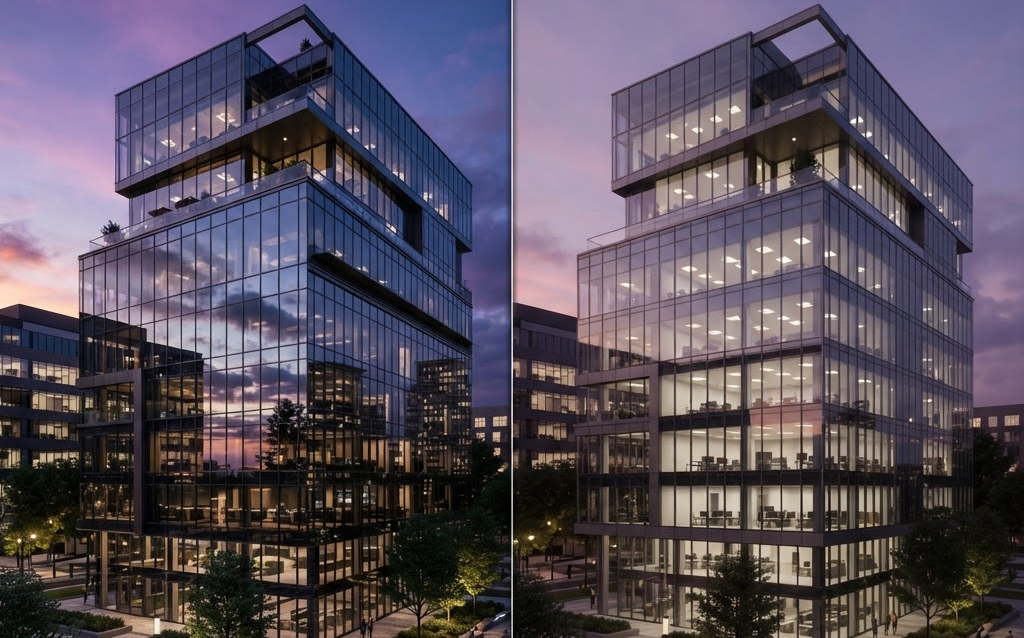
TL;DR: Unreal Engine 5 and Twinmotion are the two leading real-time rendering tools for architecture. UE5 offers Lumen global illumination and Nanite geometry for film-grade quality. Twinmotion offers faster workflows at lower cost. Here’s how they compare on quality, speed, price, and use cases in 2026.
Real-time rendering has replaced traditional offline rendering as the standard for architectural visualization. Instead of waiting hours for a single render, architects now render at 60fps—walking through buildings, changing materials, and adjusting lighting in real time. The two dominant tools are Unreal Engine 5 and Twinmotion, both from Epic Games but designed for different needs.
Unreal Engine 5 for Architecture
Key Features
- Lumen — real-time global illumination. Change a wall color and the entire scene’s lighting recalculates instantly.
- Nanite — virtualized geometry. Import complex CAD models with billions of polygons without optimization.
- Datasmith — direct import from Revit, ArchiCAD, SketchUp, Rhino, and 3ds Max with materials preserved.
- Pixel Streaming — stream the UE5 experience to any web browser via cloud GPU.
- Blueprint — visual scripting for interactive features (material swap, lighting controls, camera paths).
Best For
Architecture firms that need the highest visual quality—competition submissions, premium client presentations, VR walkthroughs, and projects where photorealism is a competitive advantage.
Twinmotion for Architecture
Key Features
- One-click sync — direct live link to Revit, ArchiCAD, and SketchUp. Changes in BIM update Twinmotion instantly.
- Drag-and-drop assets — 1,000+ pre-built furniture, vegetation, and character assets.
- Season and weather — change seasons, time of day, and weather with sliders.
- Phasing — show construction phases and timeline animations.
- Cloud presentations — share interactive presentations via Twinmotion Cloud.
Best For
Architecture firms that need fast, good-quality visualizations without the steep learning curve of UE5. Ideal for everyday client presentations, quick design iterations, and marketing renders.
Head-to-Head Comparison
| Feature | Unreal Engine 5 | Twinmotion |
|---|---|---|
| Visual quality | Film-grade (ray tracing, Lumen) | Very good (not ray-traced) |
| Real-time GI | Lumen (best in class) | Good approximation |
| Geometry handling | Nanite (unlimited polygons) | Standard (requires optimization) |
| CAD import | Datasmith (excellent) | Direct sync (excellent, live link) |
| Learning curve | Steep (weeks to months) | Easy (days) |
| Speed to first render | Days to weeks | Hours |
| VR support | Excellent (native) | Good (built-in) |
| Web sharing | Pixel Streaming (cloud GPU) | Twinmotion Cloud (simpler) |
| Price | Free (5% royalty >$1M) | $500/year (free for education) |
| Asset library | Quixel Megascans (free) | Built-in 1,000+ assets |
| Best for | Competitions, premium presentations | Everyday design reviews |
Cost Comparison
| Cost Factor | Unreal Engine 5 | Twinmotion |
|---|---|---|
| Software license | Free | $500/year |
| Training time | 2–8 weeks | 2–5 days |
| Outsourced visualization per project | $10,000–$50,000 | $3,000–$15,000 |
| Hardware requirements | High (RTX GPU recommended) | Medium (any modern GPU) |
| Pixel Streaming / Cloud cost | $0.10–$0.50/session | Included in subscription |
When to Choose Which
Choose Unreal Engine 5 If:
- You’re submitting to architectural competitions where visual quality is judged
- You need VR walkthroughs with photorealistic lighting
- You want interactive presentations with real-time material swapping
- You have a dedicated visualization specialist or team
- You need Pixel Streaming for web-based client presentations
Choose Twinmotion If:
- You need fast visualizations for everyday client meetings
- You want live-link syncing with your BIM software
- You don’t have a dedicated 3D visualization specialist
- You need good-quality renders quickly, not film-grade quality
- You want a simpler tool that any architect can use
FAQ: UE5 vs Twinmotion for Architecture
Is Unreal Engine 5 free for architecture?
Yes. UE5 is free for architecture visualization. The 5% royalty only applies to products that earn more than $1 million—architecture visualization projects don’t trigger this. Twinmotion costs $500/year, which is very affordable but not free.
Which tool produces better visual quality?
Unreal Engine 5 produces significantly better quality thanks to Lumen real-time global illumination and Nanite geometry. Twinmotion produces good quality but without ray-traced lighting. For competition submissions and premium presentations, UE5 is the clear winner.
Can I use both tools together?
Yes. Many firms use Twinmotion for fast everyday visualizations and UE5 for premium presentations and competitions. Twinmotion can export to UE5, so assets and scenes can move between tools. The two tools complement each other in a visualization workflow.
How long does it take to learn each tool?
Twinmotion can be learned in 2–5 days—its drag-and-drop interface is designed for architects. Unreal Engine 5 takes 2–8 weeks to master, depending on your 3D experience. UE5’s Blueprint visual scripting helps non-programmers create interactive features.
Which tool has better BIM integration?
Twinmotion has a slight edge for live-link syncing—changes in Revit or ArchiCAD update Twinmotion in real time. UE5’s Datasmith import is excellent but not a live link. For firms that iterate frequently in BIM, Twinmotion’s live sync saves significant time.
Getting Started
Start with Twinmotion if you need fast results—most architects can create a walkthrough within a week. Upgrade to UE5 when you need premium quality for competitions or high-value projects. Many firms run both: Twinmotion for daily work, UE5 for showcase projects.
Ready to implement real-time rendering in your architecture firm? Contact Ink & Algorithm to discuss your project—we’ll help you choose and implement the right tool.