
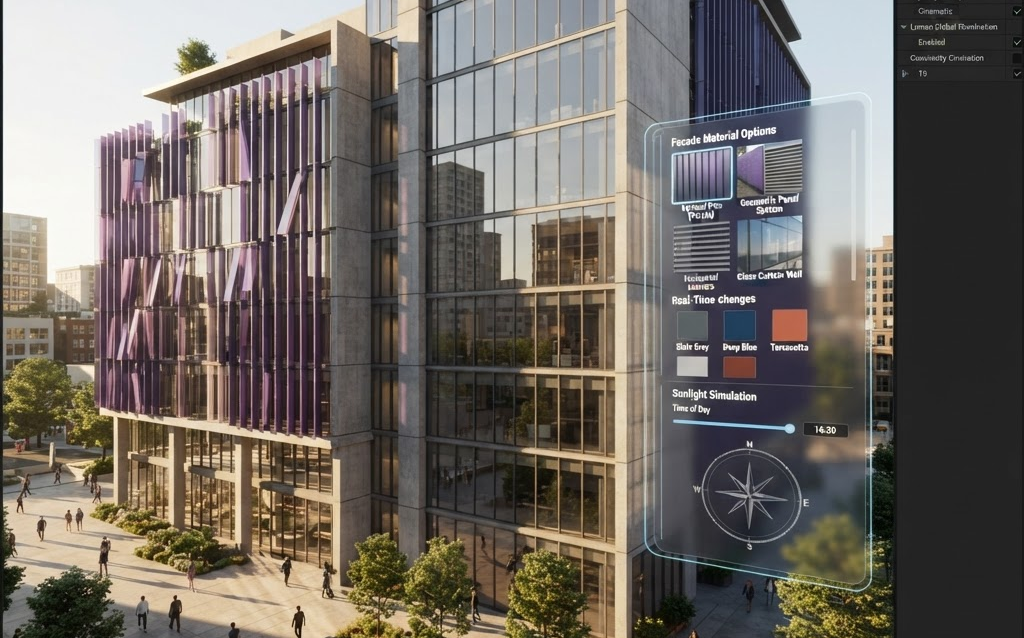
TL;DR: Unreal Engine 5 has become the leading tool for architectural visualization, offering Lumen real-time global illumination, Nanite for complex geometry, and Datasmith for direct CAD import. Architecture firms using UE5 deliver interactive design presentations where clients walk through buildings, change materials, and experience lighting in real time. Here’s how to use UE5 for architecture in 2026.
Unreal Engine 5 isn’t just for games anymore. It’s become the professional standard for architectural visualization—used by Zaha Hadid Architects, Foster + Partners, and firms worldwide. The combination of Lumen (real-time lighting), Nanite (unlimited geometry), and Datasmith (CAD import) makes it the most powerful tool for creating interactive architectural presentations.
Why Unreal Engine 5 for Architecture
Lumen: Real-Time Global Illumination
Lumen is the breakthrough feature. Change a wall color and the entire scene’s lighting updates instantly—reflections, shadows, color bounce, ambient occlusion. Move a window and the sunlight pattern recalculates in real time. What took hours to render in traditional engines happens at 60fps in UE5. This real-time lighting is what makes interactive design presentations possible.
Nanite: Unlimited Geometry
Import high-detail CAD models directly—complex facades, ornate interiors, detailed furniture—without manual polygon reduction. Nanite handles billions of polygons without performance loss. No more simplifying your models until they lose detail.
Datasmith: Direct CAD Import
Datasmith imports from Revit, ArchiCAD, SketchUp, Rhino, and 3ds Max with materials, geometry, and metadata preserved. Your BIM model goes straight into Unreal Engine with minimal cleanup—reducing the visualization pipeline from weeks to days.
Pixel Streaming: Browser Delivery
Present architectural designs to clients through a web browser—no software installation, no powerful GPU needed by the client. The UE5 experience runs on a cloud GPU and streams to the client’s browser. They walk through the building, change materials, and experience the design interactively.
How Architecture Firms Use UE5
Interactive Design Presentations
Instead of showing static renders, the architect opens UE5 and walks the client through the building in real time. The client says “can we try a darker wood floor?” and the architect clicks—the floor changes, Lumen recalculates the lighting, and the client sees the result instantly. This real-time material exploration is impossible with traditional rendering.
Competition Submissions
For architectural competitions, firms create UE5 experiences that let the jury walk through the proposed building interactively. Instead of viewing 20 static renders, the jury explores the space, changes lighting conditions, and experiences the design at human scale. This level of presentation sets firms apart.
VR Client Walkthroughs
Clients put on a VR headset and walk through the proposed building at full scale. They feel the ceiling height, the corridor width, the room proportions—not as numbers on a plan, but as spatial experiences. VR walkthroughs are the most persuasive form of architectural presentation.
Lighting Studies
UE5’s Lumen makes lighting studies instant. Show the client how natural light moves through the building throughout the day and across seasons. Demonstrate that the design meets daylighting requirements. Show how artificial lighting complements natural light in evening hours.
UE5 vs Other Architecture Visualization Tools
| Feature | Unreal Engine 5 | Twinmotion | Enscape | Lumion |
|---|---|---|---|---|
| Real-time GI | Lumen (best) | Good | Basic | Basic |
| Geometry handling | Nanite (unlimited) | Good | Limited | Limited |
| CAD import | Datasmith (best) | Good | Direct (Revit/SketchUp) | Good |
| VR support | Excellent | Good | Good | Limited |
| Learning curve | Steep | Medium | Low | Low |
| Price | Free (royalty >$1M) | $500/yr | $300–$500/yr | $1,500–$3,500/yr |
| Best for | Premium bids, VR, competitions | Everyday walkthroughs | BIM-integrated reviews | Quick marketing renders |
Cost of UE5 Architecture Visualization
| Service | Cost | Timeline |
|---|---|---|
| Single building UE5 visualization | $10,000–$50,000 | 2–6 weeks |
| Interactive presentation (material swap + lighting) | $20,000–$80,000 | 4–10 weeks |
| VR walkthrough experience | $25,000–$100,000 | 5–12 weeks |
| Pixel Streaming web deployment | $30,000–$120,000 + streaming | 6–14 weeks |
FAQ: Unreal Engine 5 for Architecture
Is Unreal Engine 5 free for architecture use?
Yes. Unreal Engine 5 is free for architecture visualization with no upfront cost. The 5% royalty only applies if you earn more than $1 million from a product that uses UE5—which doesn’t apply to architecture visualization. Architecture firms can use UE5 freely for presentations, competitions, and client work.
How hard is it to learn Unreal Engine 5?
UE5 has a steeper learning curve than Enscape or Lumion, but it’s far more powerful. A designer with 3D experience can learn the basics in 2–4 weeks. For firms without in-house UE5 expertise, outsourcing the visualization to a specialized studio costs $10,000–$50,000 per project, while building in-house capability costs $5,000–$15,000 in training and tools.
Can I import my Revit or SketchUp model into UE5?
Yes. Unreal Engine’s Datasmith plugin imports directly from Revit, ArchiCAD, SketchUp, Rhino, and 3ds Max. Materials, geometry, and metadata are preserved. The import process takes minutes, not days, and your BIM model goes straight into UE5 with minimal cleanup.
Can clients view the UE5 presentation without installing software?
Yes. Pixel Streaming delivers the UE5 experience to any web browser. The rendering happens on a cloud GPU, and the output streams to the client’s browser as video. The client needs only a browser and 10+ Mbps internet—no software installation, no powerful GPU.
How is UE5 different from Twinmotion or Enscape?
UE5 offers significantly better visual quality (Lumen GI, Nanite geometry) and more features (VR, Pixel Streaming, custom interactivity) but has a steeper learning curve. Twinmotion is easier but less powerful. Enscape integrates directly into BIM software but can’t match UE5’s quality. Many firms use Enscape for everyday reviews and UE5 for competitions and premium presentations.
Getting Started with UE5
- Download Unreal Engine 5 — free from Epic Games
- Install Datasmith — for CAD import from your BIM software
- Start with one project — import a current design and create a basic walkthrough
- Add Lumen material exploration — let clients change materials in real time
- Deploy via Pixel Streaming — send clients a browser link to explore the design
Ready to create architectural visualization with Unreal Engine 5? Contact Ink & Algorithm to discuss your project—we’ll help you build interactive design presentations that win competitions and delight clients.