
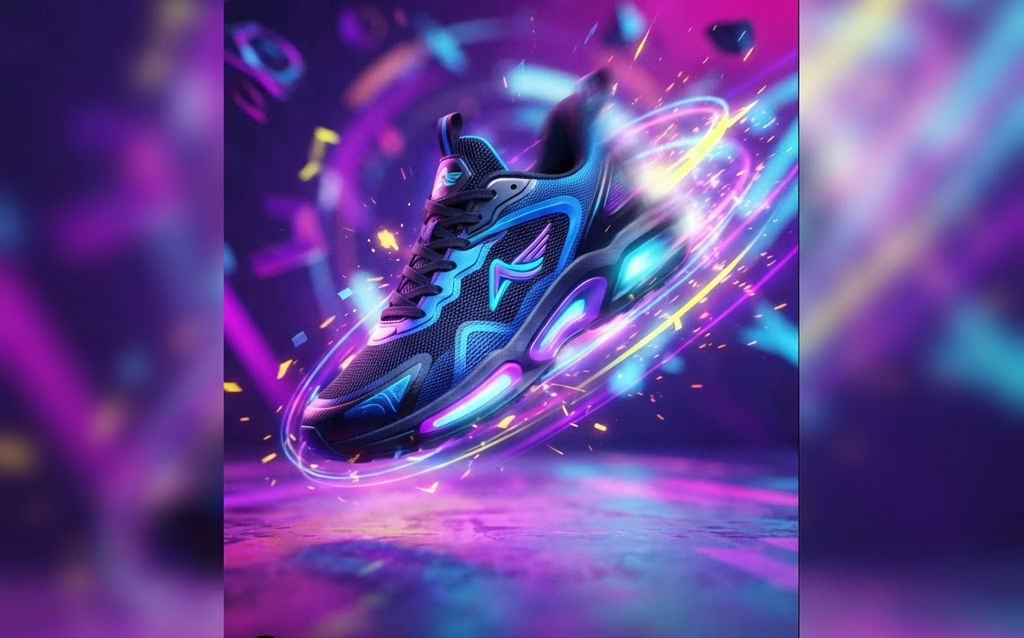
TL;DR: Social media algorithms prioritize video, and 3D product animation is the most scroll-stopping format available. Brands using 3D animation on Instagram Reels, TikTok, and YouTube Shorts see 3–5x higher engagement, 2x higher click-through rates, and 40% lower cost-per-acquisition compared to static posts. Here’s how to create, optimize, and scale 3D animated social content in 2026.
The social media feed is a war for attention. Users scroll at an average speed of 3 seconds per post, deciding in milliseconds whether to stop or keep moving. Static images get scrolled past. Video stops the scroll. And among video formats, 3D product animation—spinning, exploding, transforming, assembling—is the most visually arresting content a brand can produce.
In 2026, the brands winning on social media aren’t posting flat product photos. They’re posting 3D animations that make products dance, rotate, explode into components, and transform between colors. This guide covers how to create 3D animated social content that drives engagement, clicks, and conversions.
Why 3D Animation Outperforms on Social Media
The Algorithm Loves Motion
Every major platform—Instagram, TikTok, YouTube, Facebook, LinkedIn—prioritizes video in its algorithm. Video posts get 2–5x more reach than static image posts. Within video, the first 1–3 seconds determine whether the algorithm shows your content to more people or buries it.
3D product animation excels in those critical first seconds. A product that starts assembled and explodes into components, or a product that rotates 360° while changing colors, creates instant visual curiosity. The viewer’s brain wants to see what happens next—and that’s enough to stop the scroll and earn the view.
Engagement Metrics That Matter
- Watch time — 3D animations average 5–15 seconds of watch time vs 1–2 seconds for static posts
- Replay rate — looping 3D animations get rewatched 2–4x, signaling quality to the algorithm
- Share rate — visually striking 3D content is shared 3–5x more than static posts
- Saved rate — product animations with “shop now” CTAs get saved for later purchase
- Click-through rate — animated product posts drive 2x higher CTR to product pages
Types of 3D Animation That Perform Best on Social
360° Product Spin
The simplest and most effective format. A product rotates 360° against a clean background—studio lighting, subtle reflection on the floor. This gives viewers a complete view of the product in 5–10 seconds and works for every category. Best for: e-commerce product posts, new product launches.
Exploded View Animation
The product disassembles into its component parts, which hover in 3D space, then reassembles. This shows craftsmanship, build quality, and internal features that photos can’t convey. Best for: electronics, mechanical products, premium goods.
Material and Color Transformations
The product cycles through available colors, materials, or finishes in a smooth morphing animation. Each variant appears for 1–2 seconds before transitioning to the next. This showcases product range in a single post instead of a carousel. Best for: products with multiple variants (apparel, furniture, automotive).
Product in Context Animation
The product is placed in a 3D scene—living room, kitchen, office, outdoor setting—and the camera orbits around it, showing the product in use. Lighting shifts from day to evening to show versatility. Best for: furniture, home goods, lifestyle products.
Assembly and How-It-Works
An animated sequence showing how the product is assembled or how it works internally. Components move into place, mechanisms operate, and the product comes to life. Best for: technical products, tools, gadgets, anything with “how does it work?” appeal.
Before and After Transformation
The animation shows a “before” state (empty room, plain surface, unstyled outfit) and transforms into an “after” state with the product. The transition is animated—products fly in, furniture materializes, colors shift. Best for: home improvement, decor, beauty, fashion.
Platform-Specific Optimization
| Platform | Format | Optimal Length | Best Animation Style |
|---|---|---|---|
| Instagram Reels | 9:16 vertical | 7–15 seconds | 360° spin, color morph, exploded view |
| TikTok | 9:16 vertical | 5–30 seconds | Exploded view, how-it-works, before/after |
| YouTube Shorts | 9:16 vertical | 15–60 seconds | Assembly, tutorial-style, product story |
| 1:1 or 16:9 | 10–30 seconds | Engineering focus, B2B product demos | |
| Facebook Feed | 1:1 or 4:5 | 5–15 seconds | 360° spin, color variants |
| Product Pages | 16:9 or 1:1 | 10–30 seconds | Full rotation + feature highlights |
How to Create 3D Animated Social Content
The Production Pipeline
- 3D model preparation — start with a production-quality GLB model (300–$2,000 per product). Clean topology, PBR materials, optimized for rendering.
- Animation design — decide what story the animation tells: spin, explode, transform, or assemble. Storyboard the key frames.
- Rendering — render the animation frames using Blender Cycles, KeyShot, or Unreal Engine. For social media, 1080×1920 (vertical) at 30fps is standard. 5–15 second animations require 150–450 frames.
- Post-production — add text overlays, brand logos, music, and captions. Keep text minimal—the animation should tell the story visually.
- Export and optimize — export as MP4 (H.264) or WebM. Keep file sizes under 50MB for Instagram, under 100MB for YouTube. Use 2-pass encoding for quality.
Tools for 3D Social Animation
- Blender — Free, open-source, full-featured 3D suite. Best for budget-conscious brands. Handles modeling, animation, and rendering.
- KeyShot — Purpose-built for product visualization. Fastest path from 3D model to rendered animation. $2,000–$4,000 license.
- Cinema 4D — Industry standard for motion graphics. Best for complex animations with text and graphics integration. $3,500+/year.
- Unreal Engine 5 — Real-time rendering means instant preview and iteration. Best for photorealistic quality. Free for social media use.
- After Effects — Post-production for adding text, transitions, and motion graphics to 3D renders. $240/year (Adobe).
Cost of 3D Animated Social Content
| Animation Type | Cost (per animation) | Timeline |
|---|---|---|
| 360° product spin | $500–$2,000 | 1–3 days |
| Color/material variant loop | $800–$3,000 | 2–4 days |
| Exploded view animation | $2,000–$8,000 | 3–7 days |
| Product-in-context scene | $3,000–$12,000 | 5–10 days |
| Assembly/how-it-works | $3,000–$15,000 | 5–14 days |
| Full product video (30s) | $5,000–$20,000 | 7–14 days |
For brands producing content at scale (10+ animations per month), retainer arrangements reduce per-animation costs by 30–50%.
Best Practices for 3D Animated Social Posts
Hook in the First Frame
The first frame of your animation should be visually striking enough to stop the scroll before motion even starts. A product mid-explosion, a dramatic lighting setup, or an unusual camera angle creates instant curiosity.
Loop Seamlessly
Social platforms auto-loop short videos. Design your animation so the last frame connects smoothly to the first—creating an infinite loop that users watch multiple times without realizing it. Each replay boosts your watch time metrics and signals quality to the algorithm.
Keep It Under 15 Seconds for Reels and TikTok
Shorter animations get more complete views and more replays. A 7-second 360° spin with a color morph at the end outperforms a 30-second product tour on short-form platforms. Save longer content for YouTube.
Add Text Overlays for Silent Viewing
80% of social media is viewed without sound. Add subtle text overlays—product name, key feature, price—that communicate the message without audio. Keep text minimal and let the animation do the heavy lifting.
Include a CTA Frame
The last 1–2 seconds should include a call to action: “Shop now,” “Link in bio,” “Available at [store].” This captures viewers who watched the full animation and are ready to take action.
FAQ: 3D Animation for Social Media
How much does a 3D product animation for social media cost?
A simple 360° product spin costs $500–$2,000. An exploded view or color variant animation runs $2,000–$8,000. A full 30-second product video with scene context costs $5,000–$20,000. For brands producing 10+ animations per month, retainer arrangements reduce per-animation costs by 30–50%.
What format should 3D animations be for Instagram and TikTok?
Export as MP4 (H.264) in 9:16 vertical aspect ratio (1080×1920) for Reels and TikTok. For feed posts, use 1:1 (1080×1080) or 4:5 (1080×1350). Keep file sizes under 50MB. Frame rate should be 30fps. Design for the first 3 seconds to be visually striking to stop the scroll.
How long should a 3D product animation be for social media?
For Instagram Reels and TikTok, 7–15 seconds is optimal. Shorter animations get more complete views and replays, boosting algorithm signals. For YouTube Shorts, 15–30 seconds works well. For product pages and website embeds, 10–30 seconds. The key is that the animation loops seamlessly—each replay counts as additional watch time.
Do I need a 3D model to create product animations?
Yes. A 3D model is the foundation of 3D animation. If you don’t have one, a production-quality model can be created from your product in 3–7 days for $300–$2,000. Once the model exists, you can create unlimited animations from it—spins, exploded views, color variants—without additional modeling costs.
How often should I post 3D animated content?
For maximum algorithm benefit, post 3–5 3D animated posts per week across your social channels. With a 3D model library, creating variations (different angles, different colors, different environments) is fast and cost-effective. Brands posting 3D animation 3+ times per week see compounding engagement growth over 2–3 months.
Getting Started with 3D Social Animation
The path to scroll-stopping 3D social content is straightforward:
- Start with your top 3 products — create 3D models for your best-sellers
- Produce a 360° spin for each — the simplest, highest-ROI animation format
- Post one animation per week — measure engagement against your static posts
- Scale what works — add exploded views, color variants, and scene animations for products that perform
- Build a content calendar — plan 3–5 animations per week once the workflow is established
Brands that invest in 3D animation for social media in 2026 are building a sustainable competitive advantage. While competitors post flat photos that get scrolled past, 3D animated content earns the algorithm’s favor, stops the scroll, and drives measurable sales.
Ready to create scroll-stopping 3D animations for your brand? Contact Ink & Algorithm to discuss your animation project—we’ll help you produce 3D content that dominates the social feed.