
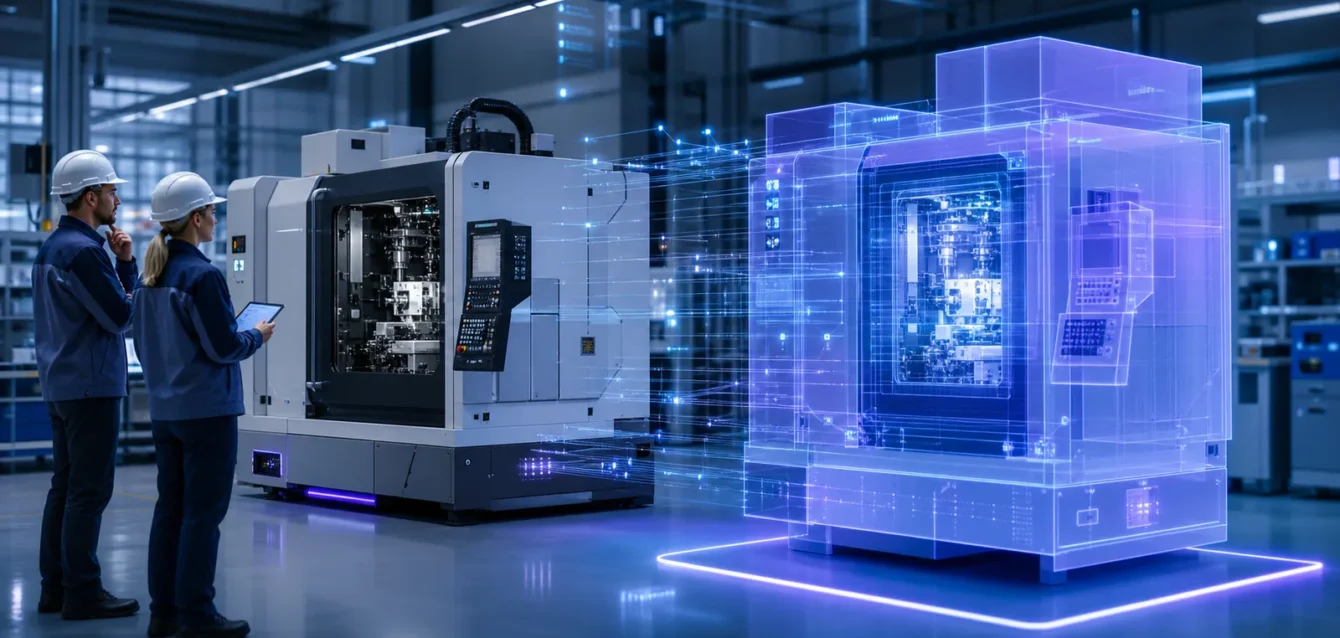
TL;DR: Digital Twin vs 3D Model. Learn about costs, features, ROI, and how US brands use this technology in 2026.
Digital twin vs 3D model is an important distinction for manufacturers investing in visualization, connected operations, predictive maintenance, and industrial automation. Both can represent the same physical product or machine, but they solve different problems. A 3D model describes appearance and geometry; a digital twin connects a virtual representation to real-world data, behavior, and decisions.
This 2026 guide explains the difference in practical business terms, shows when each option is appropriate, and outlines what US manufacturing teams need before starting a digital twin initiative.
What Is a 3D Model?
A 3D model is a digital geometric representation of an object, product, environment, or system. It defines shape, dimensions, surfaces, materials, and visual details. Manufacturers use 3D models for engineering, design review, product visualization, animation, ecommerce, training, augmented reality, and sales presentations. A model may be accurate and interactive, but it does not automatically receive live information from the physical asset.
What Is a Digital Twin?
A digital twin is a dynamic virtual representation of a specific physical asset, process, or system. It combines a digital model with data from sensors, operational software, maintenance systems, simulations, and historical records. The twin changes as the real asset changes.
A useful digital twin helps teams monitor performance, test scenarios, detect abnormal conditions, forecast maintenance needs, and improve decisions. Its value comes from the connection between the physical asset, its data, the virtual representation, and an operational workflow.
Digital Twin vs 3D Model: The Core Difference
- A 3D model represents what an asset looks like.
- A digital twin represents what an asset is doing, has done, and may do next.
A 3D model can exist without a physical counterpart. A digital twin is normally connected to a real asset or process and has an ongoing data relationship with it. The model is one component of the twin, not the complete solution.
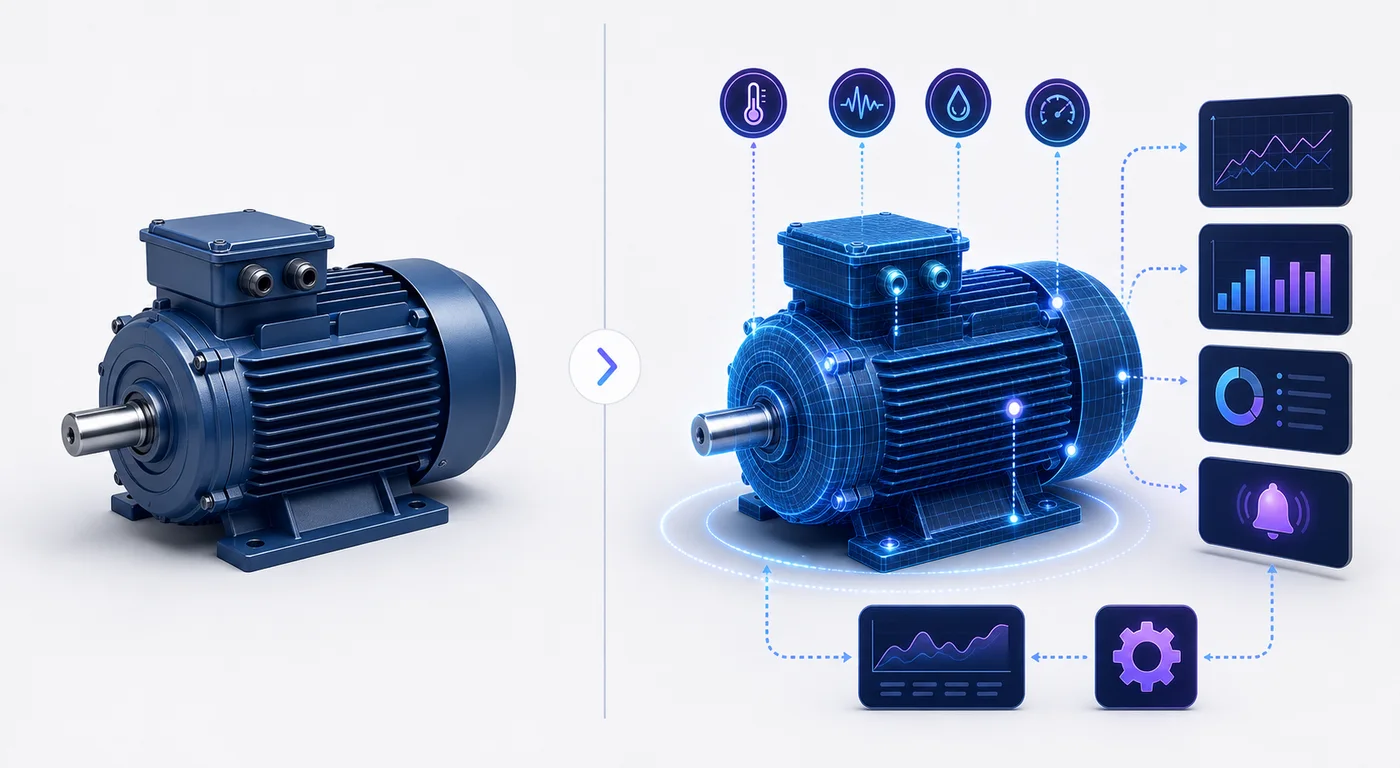
Side-by-Side Comparison
| Area | 3D Model | Digital Twin |
|---|---|---|
| Purpose | Design and visualization | Monitoring and optimization |
| Data | Static or manually updated | Connected to operational data |
| Time | Represents a chosen state | Tracks current and historical states |
| Behavior | May use predefined animation | Reflects real conditions and logic |
| Decision support | Primarily visual | Operational and analytical |
How a 3D Model Becomes Part of a Digital Twin
The journey usually begins with engineering geometry or a purpose-built real-time model. The visualization is then connected to asset data and business logic. A typical architecture includes:
- A physical machine, product, facility, or process
- Sensors, controllers, or operational software
- A data ingestion and storage layer
- An asset model that organizes identity and relationships
- Rules, analytics, or simulation capabilities
- A dashboard, 3D interface, or AR/VR experience
- Alerts and workflows that support action
Raw CAD files are often too detailed for browser, tablet, or immersive applications and need geometry cleanup, hierarchy planning, material conversion, and performance optimization.
When a 3D Model Is the Right Choice
A connected twin is not necessary for every project. A standalone 3D model is usually better for photorealistic product marketing, animation, exploded technical views, ecommerce visualization, web configurators, design review, sales presentations, predefined training, and AR placement without live data.
For marketing-focused use cases, explore how 3D product animation works before adding the complexity of operational integration.
When a Digital Twin Is Worth the Investment
A digital twin becomes valuable when decisions depend on the current or predicted condition of a real asset. Strong use cases include:
- Predictive maintenance: identify patterns that may indicate a future failure.
- Remote monitoring: give specialists a shared equipment view.
- Production optimization: analyze bottlenecks, energy use, and throughput.
- Commissioning: validate systems and workflows during deployment.
- Operator training: combine realistic context with operating states.
- Quality control: connect process conditions with inspection outcomes.
The strongest projects start with one measurable operational problem. “Create a digital twin” is a technology request; “reduce unplanned downtime” is a business objective.
Digital Twin Types in Manufacturing
Component twin
Represents an individual part such as a motor, pump, spindle, or battery module.
Asset twin
Represents a complete machine and combines multiple component states.
System twin
Represents a production cell, line, warehouse, or utility network.
Process twin
Represents an end-to-end operation combining assets, people, schedules, materials, and business data.
What Data Does a Digital Twin Need?
Common sources include temperature, vibration, pressure, speed, current, and flow sensors; PLC, SCADA, MES, ERP, and maintenance systems; inspection results; service history; environmental conditions; simulation outputs; and asset configuration data.
More data is not automatically better. Teams should identify the minimum reliable data needed for a decision, confirm ownership and quality, and define what happens when information is missing or delayed.
Common Digital Twin Implementation Mistakes
- Starting with visualization instead of a business problem
- Using unoptimized CAD that creates slow experiences
- Ignoring sensor and operational data quality
- Failing to connect records to the correct physical asset
- Building a pilot that never reaches maintenance workflows
- Trying to model an entire factory before proving value
- Ignoring security, permissions, and long-term ownership
A Practical Digital Twin Roadmap
- Define one outcome. Choose downtime, energy use, quality, or training time.
- Select the asset. Start where data and ownership are clear.
- Audit available data. Confirm sources, frequency, history, and permissions.
- Choose the workflow. Identify who needs the insight and what action follows.
- Prepare the visual model. Optimize CAD for the intended interface.
- Connect and validate. Map data to the correct components and test against reality.
- Measure the pilot. Compare results with the original baseline.
- Scale deliberately. Reuse patterns only after value is proven.
Digital Twin Cost Factors
Budgets vary because visualization is only one layer. Major drivers include asset count, model complexity, data integration, sensor readiness, analytics, simulation, interface requirements, infrastructure, security, and long-term support. A focused pilot for one well-instrumented asset is more predictable than a factory-wide program.
Can AR and VR Use Digital Twin Data?
Yes. AR can overlay status, instructions, or alerts on a physical machine, while VR can create a remote operational or training environment. The experience should be designed around a real task rather than novelty. For experiences without live operational data, a 3D configurator or animation may be simpler.
Frequently Asked Questions
Is every 3D model a digital twin?
No. A model becomes part of a digital twin only when it participates in a connected system representing a physical asset or process.
Does a digital twin need a 3D interface?
No. Some twins use dashboards or diagrams. 3D is valuable when spatial context, component location, training, or visual diagnosis improves the decision.
Can a digital twin work without real-time data?
Some twins update periodically. The frequency should match the business decision; historical and batch data can still support useful analysis.
What is the difference between a digital twin and a simulation?
A simulation explores behavior under assumptions. A digital twin connects to a real asset. Simulation can be one capability inside a twin.
Where should a manufacturer start?
Start with one high-value problem, one asset, a small user group, and reliable data. Prove a measurable result before expanding.
Choose the Right Level of Digital Representation
A 3D model is ideal for design, communication, visualization, and interactive marketing. A digital twin adds ongoing data, behavior, analytics, and operational workflows. Ink & Algorithm helps organizations prepare optimized 3D assets and design interactive experiences for complex products and systems. Begin with a clear outcome, then build only the connectivity and intelligence required to support it.
Ready to get started? Contact Ink & Algorithm to discuss your project—we’ll help you create results that drive sales.